Back to work
View CV
3D-to-Video Automation SystemEv2MK

Render-to-Video Pipeline — 3D Asset Automation + Scalable Motion System

Built a repeatable production pipeline that transforms 3D models and rendered image variations into animated video assets at scale. The system combines 3D production, scripted render batching, AI-assisted motion and audio prompting, spreadsheet-driven automation, image-to-video generation, and After Effects template assembly to reduce manual production time and improve consistency across large video batches.
Creative Technologist3D Production DesignerAI Video Workflow DesignerAutomation Pipeline Designer
Render-to-Video Pipeline — 3D Asset Automation + Scalable Motion System — hero

Production Pipeline

Brief3D Asset CreationLook DevelopmentRender VariationsMotion & Audio PromptingImage-to-Video GenerationAfter Effects Batch Assembly

Outcome

Reduced repetitive manual production work by systemizing the full path from 3D render to final video. What previously required a full day of manual work per asset now runs as a repeatable, data-driven pipeline capable of generating large volumes of consistent animated content while preserving creative control over characters, visuals, motion, audio direction, and final composition.

Workflow

3D to video automation

From 3D assets to scalable video production.

  1. 1

    Brief & planning

    Project briefAsset goals · Shot needs

    • Define video objectives
    • Set variation requirements
    • Plan deliverables

    Output

    • Creative brief
    • Shot plan
    • Asset checklist
  2. 2

    3D modeling & characters

    Maya

    Character Creator 5

    • Model assets
    • Build characters
    • Prepare base scenes

    Output

    • 3D assets
    • Character setups
    • Scene files
  3. 3

    Texturing & look-dev

    Substance Painter

    Blender

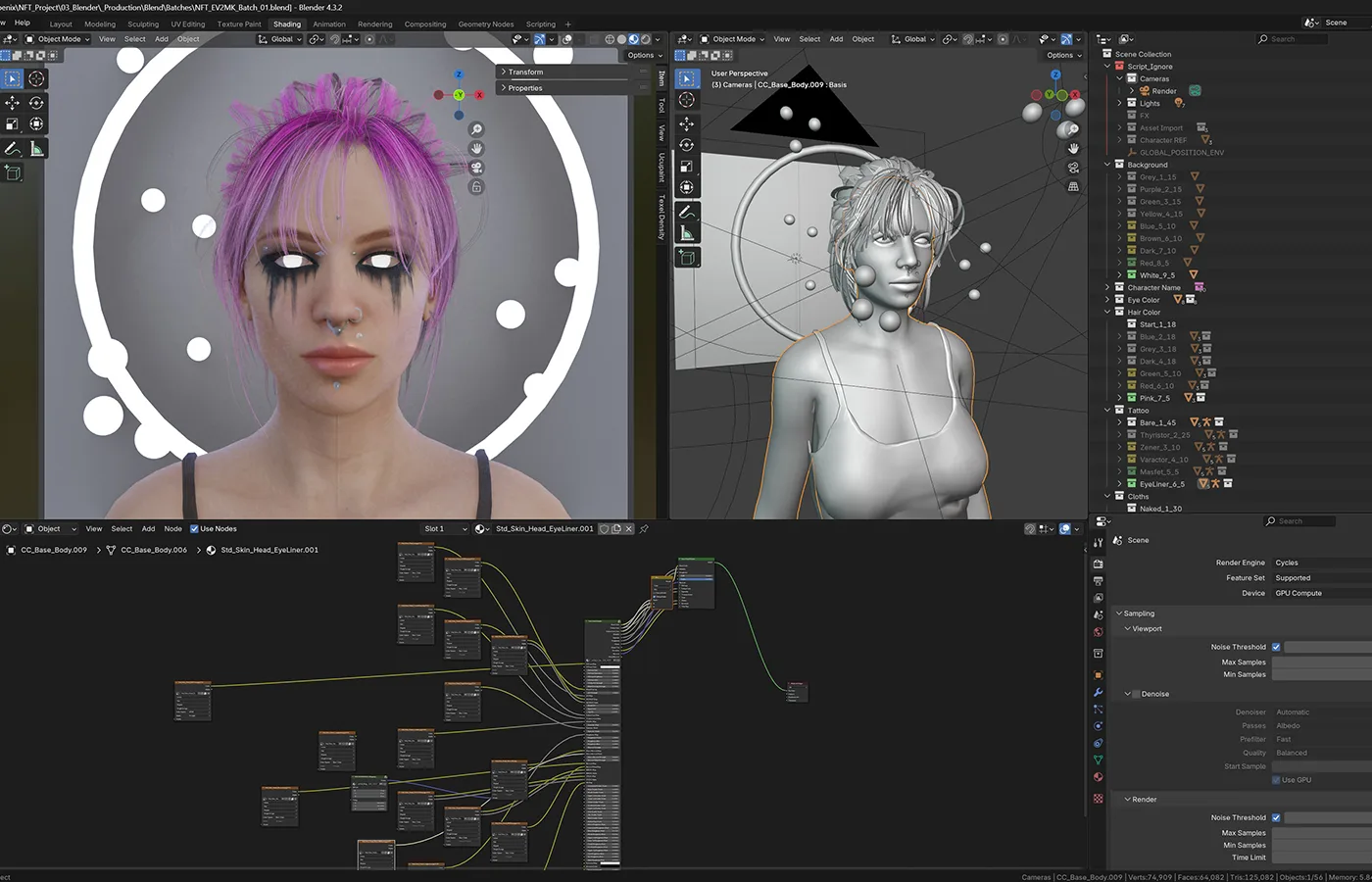
    • Texture materials
    • Shading / look-dev
    • Prepare render scenes

    Output

    • Textured assets
    • Shaded scenes
    • Render-ready files
  4. 4

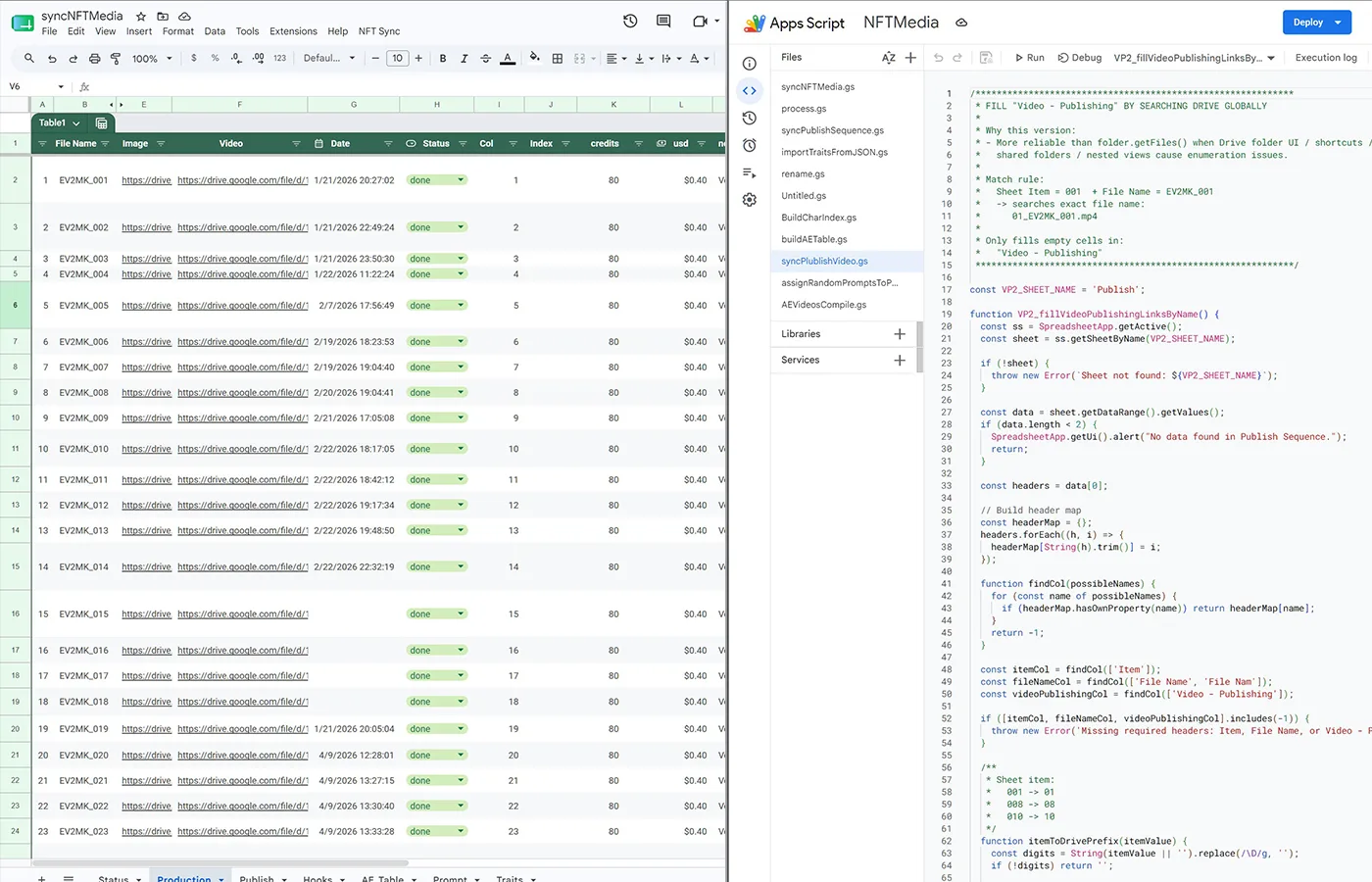
    Batch renders & automation

    Scripts

    Google SheetsApps Script

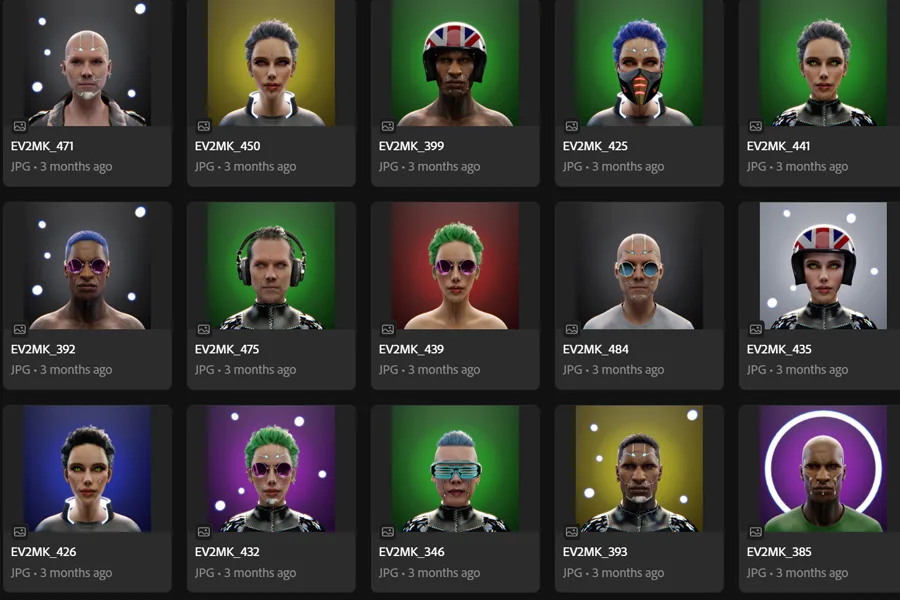
    • Render image variations
    • Track large data sets
    • Automate batches

    Output

    • Render images
    • Variation sets
    • Production data
  5. 5

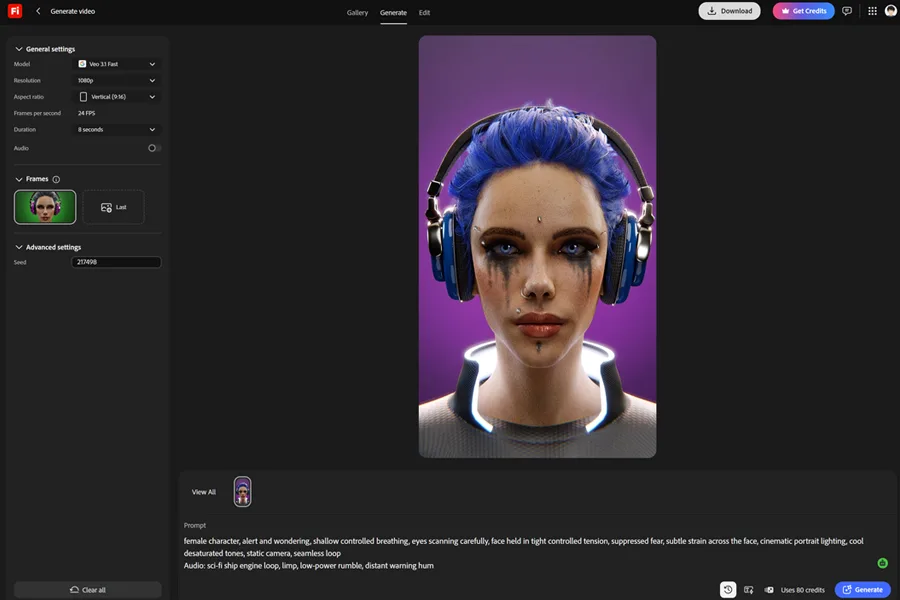
    Motion prompts & image to video

    ChatGPT + Claude

    Firefly / ReplicateVeo 3.1 Fast

    • Generate motion prompts
    • Generate audio cue prompts
    • Convert images to video clips

    Output

    • Prompt sets
    • Video clips
    • Motion-ready shots
  6. 6

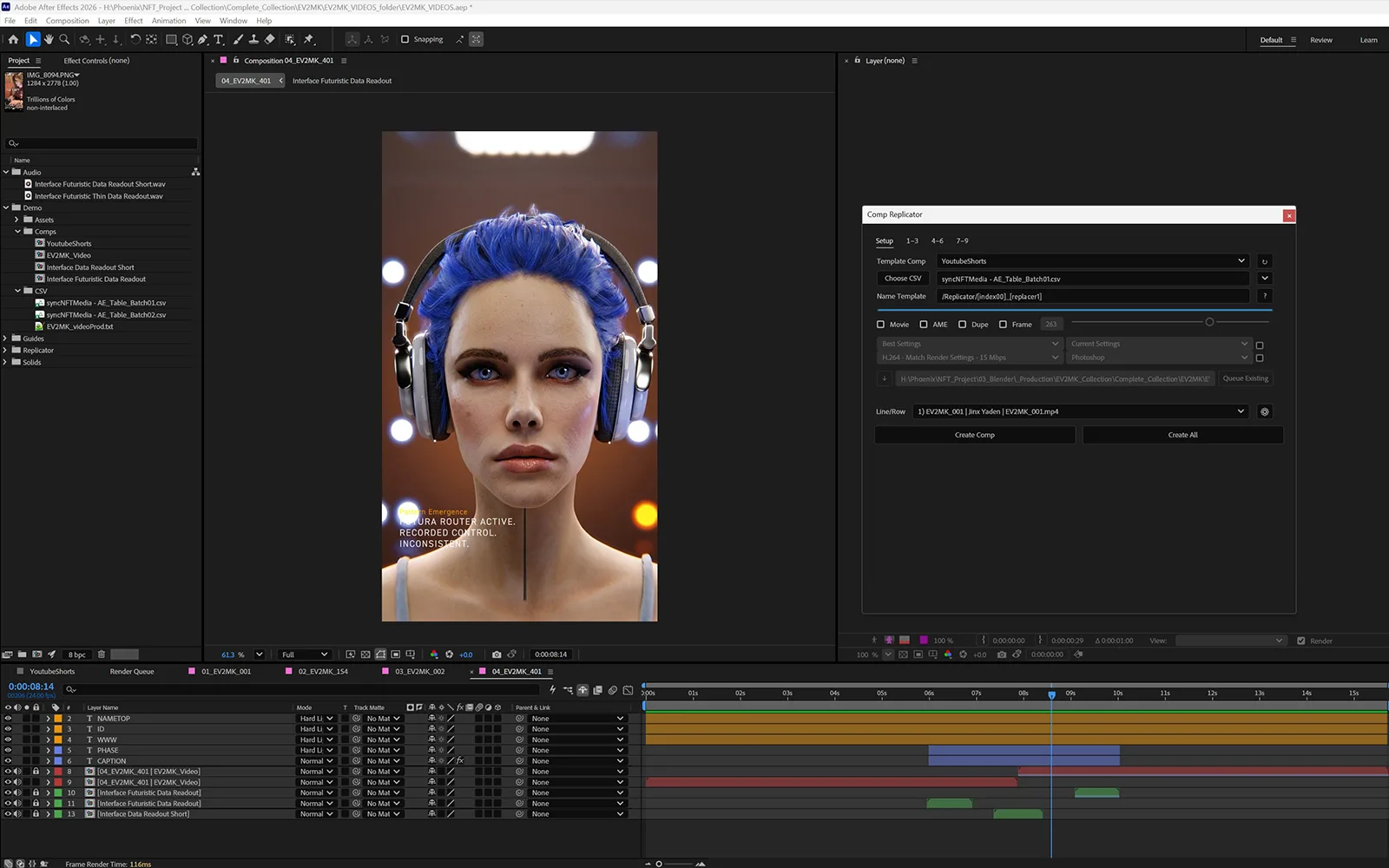
    After Effects batch assembly

    After Effects

    • Templates + scripts + CSV
    • Build compositions
    • Batch export final videos

    Output

    • Compositions
    • Final videos
    • Repeatable production pipeline

Final output

  • Animated videos
  • Scalable production system
  • Time-saving, repeatable workflow
Render-to-Video Pipeline — 3D Asset Automation + Scalable Motion System — Firefly — Image to Video
Firefly — Image to Video
Render-to-Video Pipeline — 3D Asset Automation + Scalable Motion System — Showcase — Automation System
Showcase — Automation System
Render-to-Video Pipeline — 3D Asset Automation + Scalable Motion System — showcase 1
Bender Renders
Render-to-Video Pipeline — 3D Asset Automation + Scalable Motion System — showcase 2
Bender Setup

Built with

Autodesk MayaCharacter CreatorAdobe Substance PainterBlenderChatGPTClaudeGoogle SheetsGoogle Apps ScriptAdobe FireflyReplicateGoogle Veo 3.1 FastAdobe After EffectsCSV-based production workflows

Outputs

  • ·3D model and character production
  • ·Textured and shaded render-ready assets
  • ·Batch-rendered image variations
  • ·Prompt systems for motion and audio direction
  • ·Spreadsheet-controlled production data
  • ·Automated image-to-video conversion workflow
  • ·After Effects composition templates
  • ·CSV-driven batch video assembly
  • ·Repeatable video production pipeline
Live Output Demos
Back to all work