Sérgio Azevedo

Creative Technologist

The system is the work. I build creative production pipelines for AI video, product UI, and real-time 3D.

AI is only as good as the creative system behind it. I design the structure — visual rules, production logic, templates, and workflows — so the next job is faster than the last.

AI video pipelinesFigma UI/UXCreative automationAI-assisted prototypingUnity / real-time 3DBrand & Design Systems
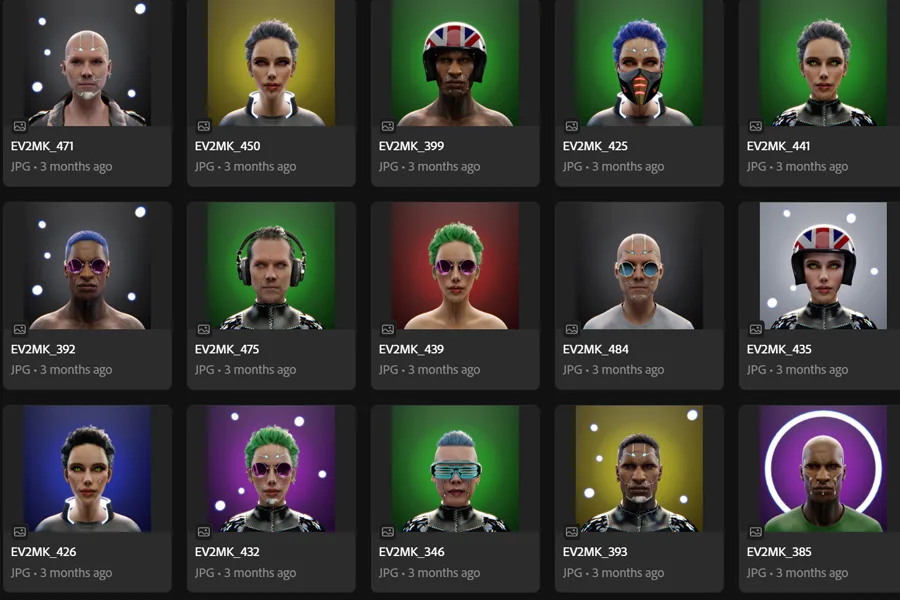
3D character renders
Worked with
Glimpse GroupInciteVRAdtalem Global EducationFremantleRTPbeActive MediaGlimpse LearningEv2MKOficina IDIndependent film studio (NDA)

From brief to production system.

My work is focused on building repeatable creative pipelines, not one-off assets. I use AI, automation, design tools, scripting, and 3D workflows to create systems for video production, product storytelling, publishing, brand consistency, and immersive media.

01

Design the system

Define the story, interface, structure, visual rules, and production logic.

02

Prototype and generate

Use AI, 3D, scripting, and design tools to create controlled variations, consistent assets, UI screens, motion references, and production-ready content.

03

Produce the output

Assemble final videos, decks, landing pages, books, dashboards, and reusable workflows.

A practical workflow from idea to finished system.

01

Define the creative goal

Clarify audience, message, output format, constraints, and success criteria.

02

Design the system

Create the structure: story flow, UI, visual language, prompt logic, data model, or production pipeline.

03

Generate and prototype

Use AI, 3D, scripting, and design tools to rapidly produce controlled variations.

04

Refine for consistency

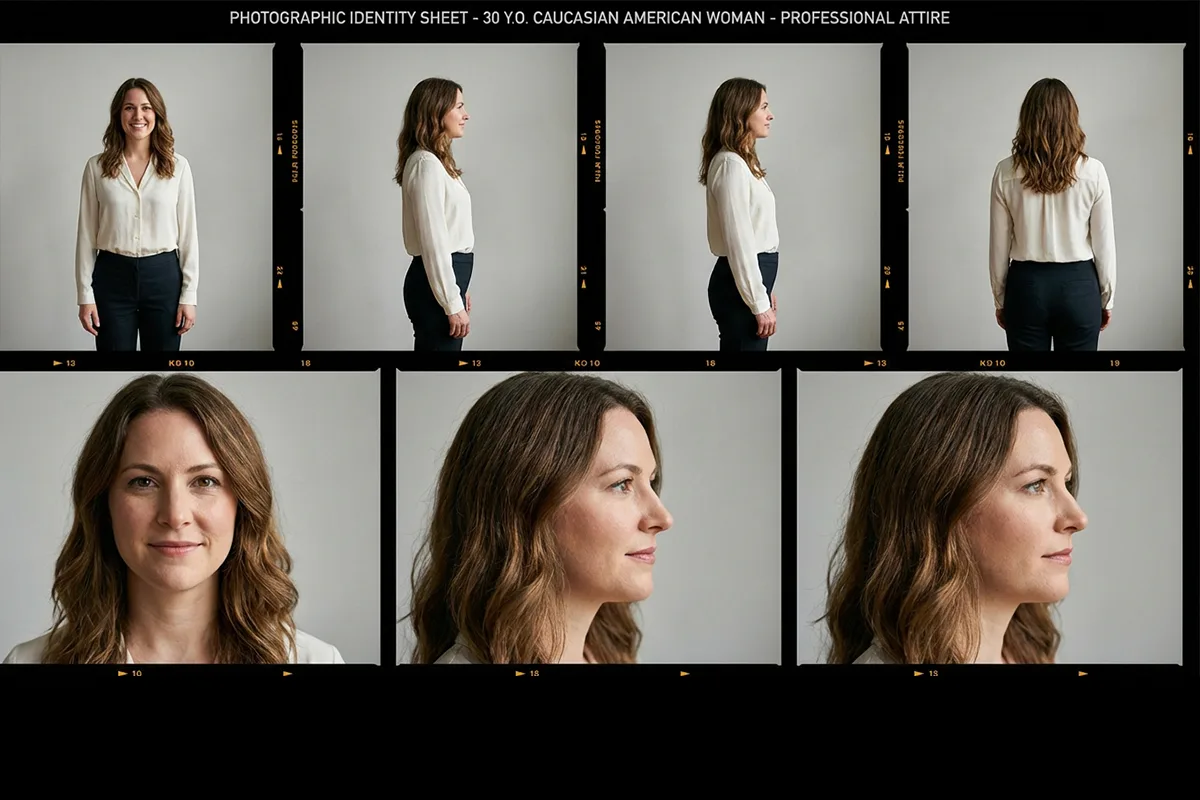
Create character sheets, environment references, style guides, templates, and reusable rules.

05

Produce the final output

Assemble videos, pages, decks, interfaces, books, or production assets.

06

Make it repeatable

Document the process so the workflow can scale beyond one asset or one campaign.

Selected systems and case studies.

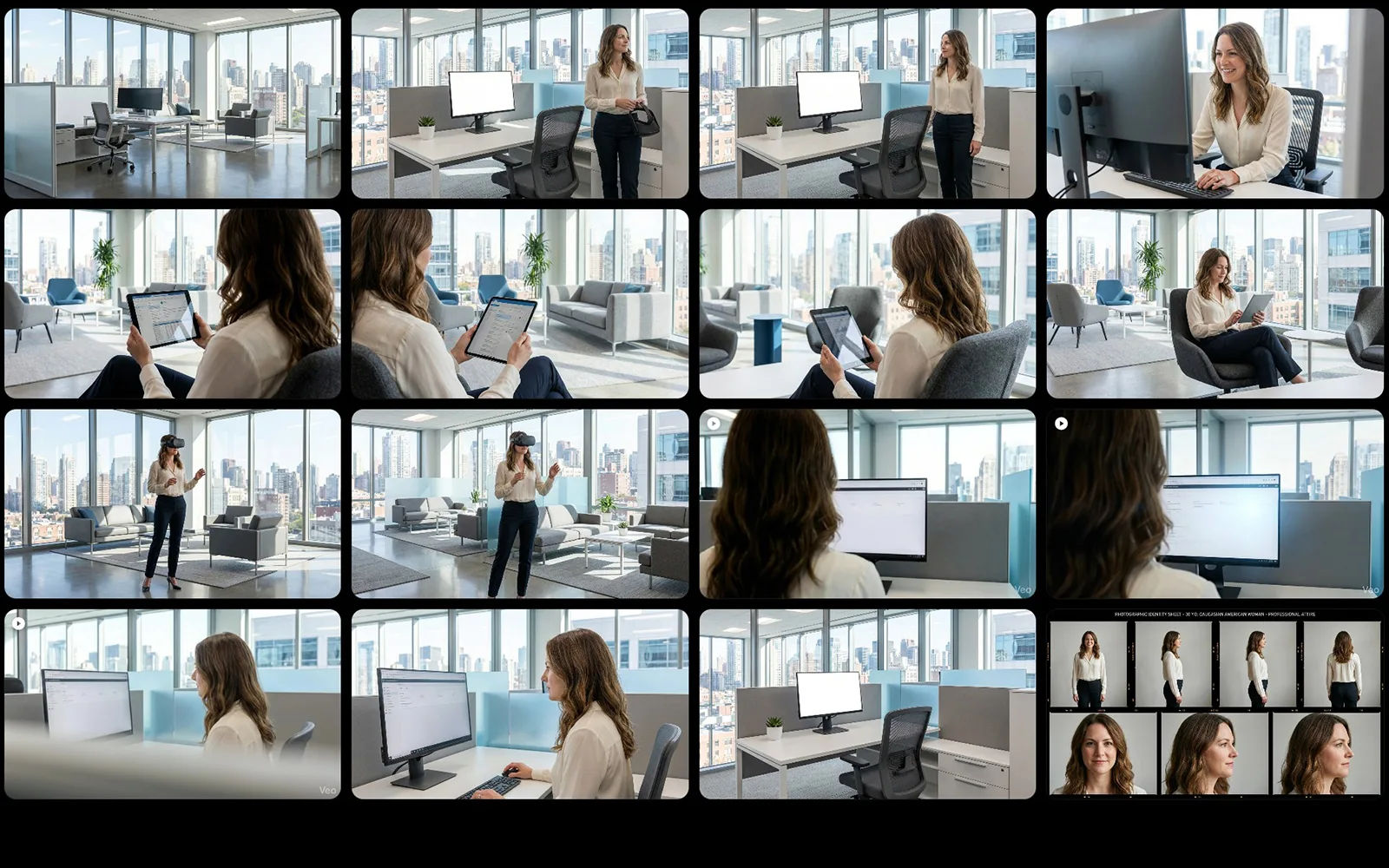
AI Creative Production Systems — Character, Environment & Shot Pipelines — hero
AI Workflow Systems
AI Workflow SystemsGlimpse Group

AI Creative Production Systems — Character, Environment & Shot Pipelines

Built repeatable AI-assisted workflows for creating consistent characters, environments, and video-shot stills before transforming them into video and post-production assets.

Standard AI generation breaks character and environment consistency across sessions — built a reference architecture that pins visual rules so any generation step produces on-system results. Reduced shot production cycle from brief to ready-for-edit across 3+ campaigns. Reusable reference pack held visual consistency across 20+ characters and 4 environment systems.

Built with

ChatGPTClaudeAdobe FireflyAI image/video toolsAfter Effects

Workflow

From prompt to video

From idea to finished video in six steps.

  1. 1

    Brief & planning

    Project briefAsset goals · Shot needs

    Output

    • Script
    • Scene breakdown
    • Shot list
    • Asset list
  2. 2

    Idea & planning

    Claude

    • Refine ideas
    • Script structure
    • Shot & asset plan

    Output

    • Script
    • Scene breakdown
    • Shot list
    • Asset list
  3. 3

    Image plates

    GeminiNano Banana

    • Generate image plates for each shot

    Output

    • Image plates
    • JPG / PNG
  4. 4

    Image to video

    Veo 3

    • Convert image plates to video clips

    Output

    • Video clips
    • Per shot
  5. 5

    Voice over

    ChatterboxTTS server

    • Generate the voice over

    Output

    • Audio file
    • VO
  6. 6

    Composition & editing

    After Effects

    • Compose
    • Add VO
    • Transitions
    • Effects
    • Color grade
    • Export

    Final output

    • Final video
    • MP4

Gemini Nano Banana

AI Creative Production Systems — Character, Environment & Shot Pipelines — Gemini Nano Banana

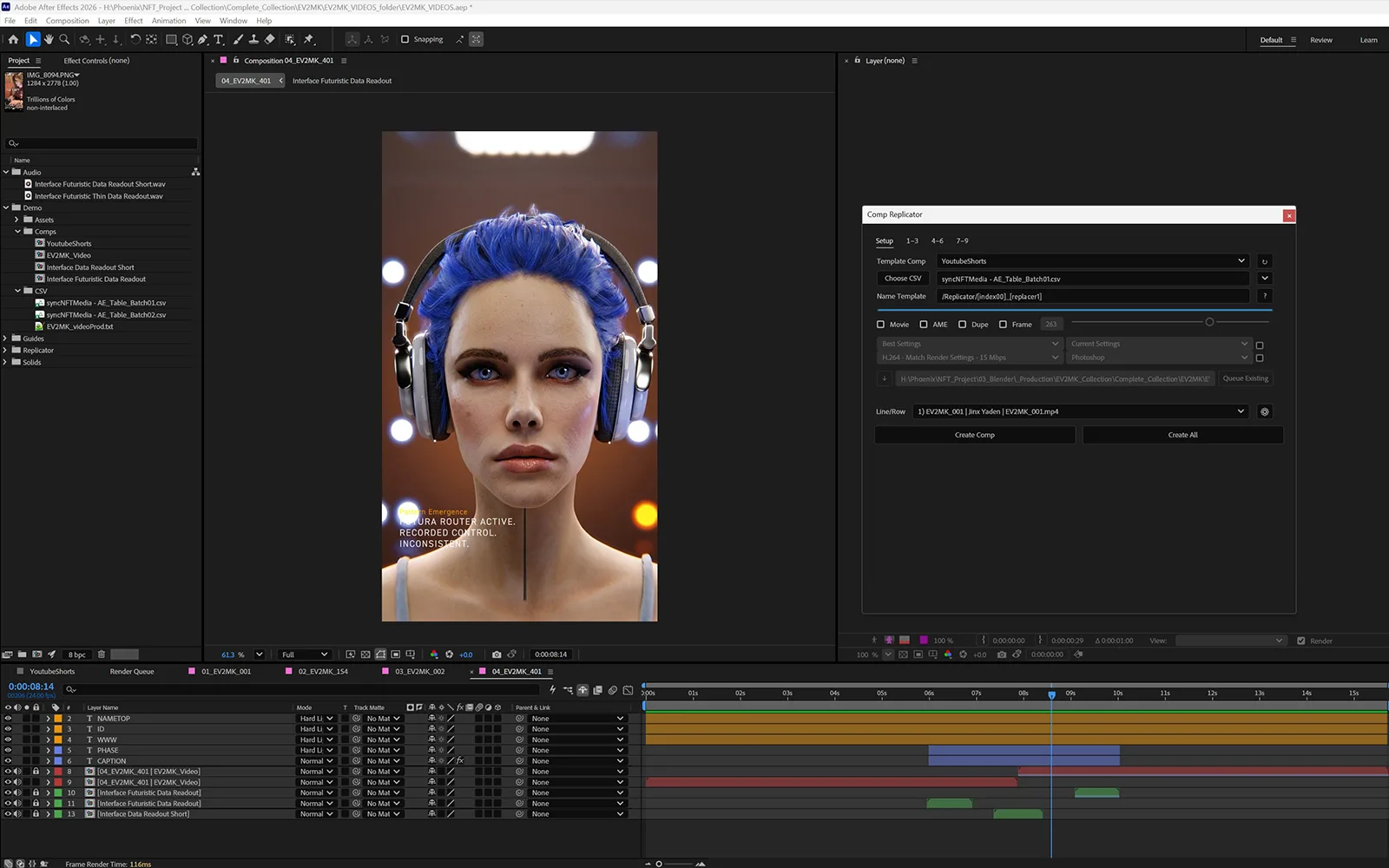
After Effects Composition
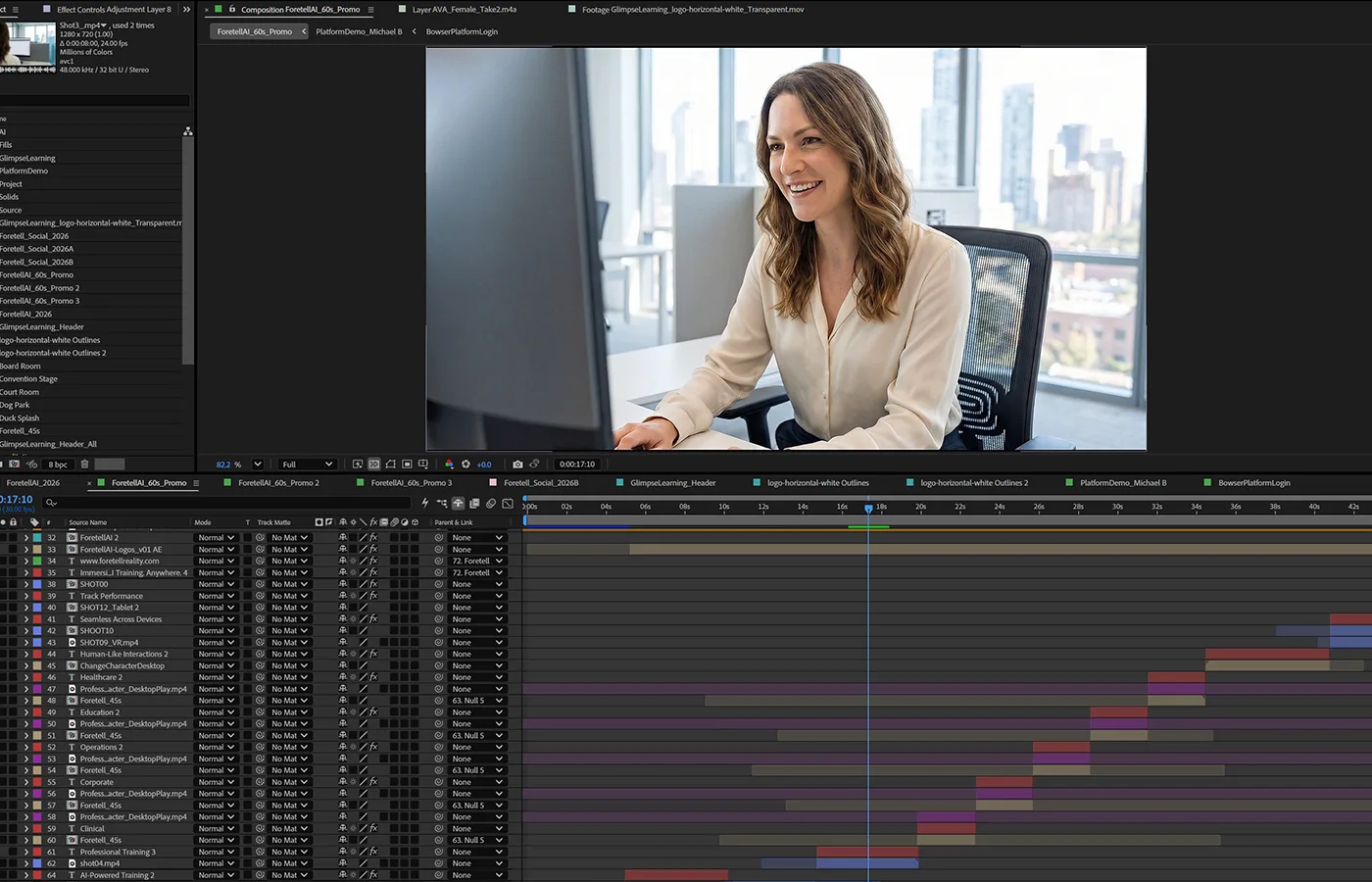
AI Creative Production Systems — Character, Environment & Shot Pipelines — After Effects Composition

Promo video
Rootwell — A 13-Shot AI Video Ad, Brief to Final Cut — hero
AI Video Production
AI Video ProductionFictional brand

Rootwell — A 13-Shot AI Video Ad, Brief to Final Cut

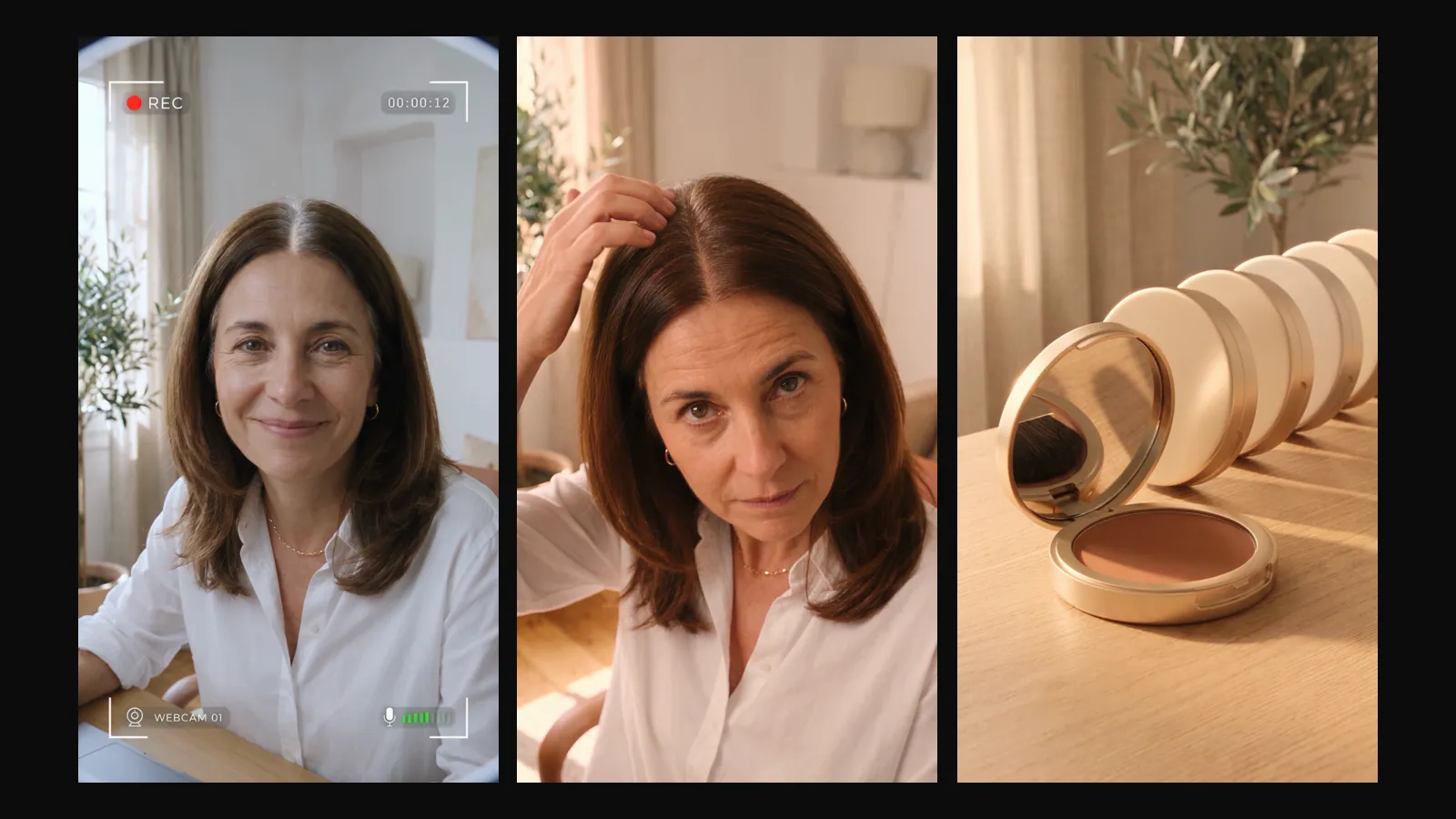
A 39-second, 9:16 direct-response ad for a fictional root concealer, made in one session with Seedance 2.5 on Higgsfield. The same face, wardrobe, room and product hold across all 13 shots, cut to a licensed music track.

Production Pipeline

BriefThree AnglesContinuity BibleAnchor Stills480p Drafts1080p FinalsEdit to Music

One character, wardrobe, room and product held across all 13 shots. Every shot was drafted at least twice at 480p and only the chosen take was finalized at 1080p: 1,088 credits against about 1,970 for three full-resolution takes per shot, roughly 45% less. Ten of the 13 shots were approved from their first pair of drafts; the other three were fixed in the prompt, not re-rolled.

Built with

Seedance 2.5Nano BananaHiggsfieldClaude
Render-to-Video Pipeline — 3D Asset Automation + Scalable Motion System — hero
3D-to-Video Automation System
3D-to-Video Automation SystemEv2MK

Render-to-Video Pipeline — 3D Asset Automation + Scalable Motion System

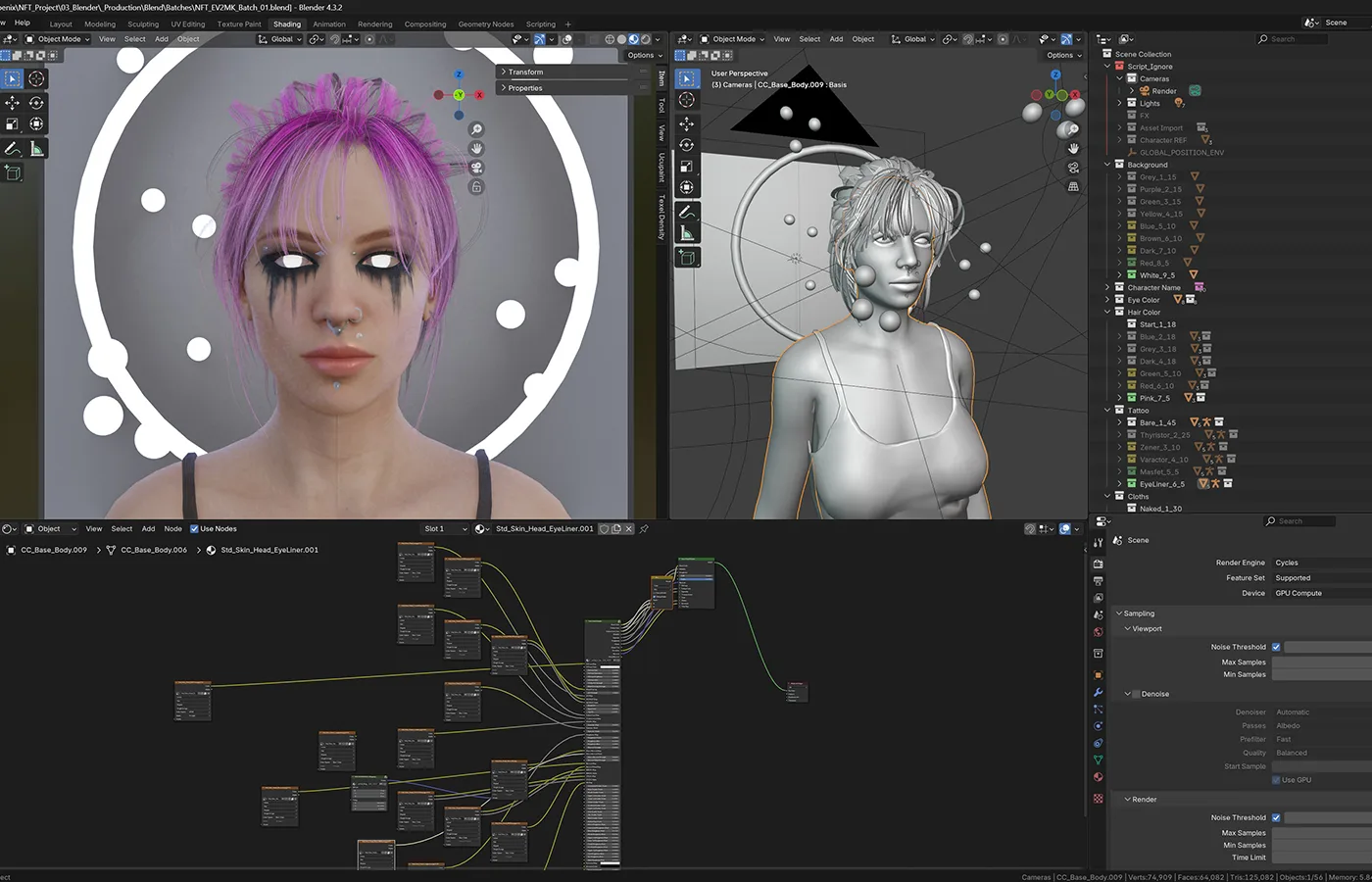
Built a repeatable production pipeline that transforms 3D models and rendered image variations into animated video assets at scale. The system combines 3D production, scripted render batching, AI-assisted motion and audio prompting, spreadsheet-driven automation, image-to-video generation, and After Effects template assembly to reduce manual production time and improve consistency across large video batches.

Production Pipeline

Brief3D Asset CreationLook DevelopmentRender VariationsMotion & Audio PromptingImage-to-Video GenerationAfter Effects Batch Assembly

Reduced repetitive manual production work by systemizing the full path from 3D render to final video. What previously required a full day of manual work per asset now runs as a repeatable, data-driven pipeline capable of generating large volumes of consistent animated content while preserving creative control over characters, visuals, motion, audio direction, and final composition.

Built with

Autodesk MayaCharacter CreatorAdobe Substance PainterBlenderChatGPTClaudeGoogle SheetsGoogle Apps ScriptAdobe FireflyReplicateGoogle Veo 3.1 FastAdobe After EffectsCSV-based production workflows

Workflow

3D to video automation

From 3D assets to scalable video production.

  1. 1

    Brief & planning

    Project briefAsset goals · Shot needs

    • Define video objectives
    • Set variation requirements
    • Plan deliverables

    Output

    • Creative brief
    • Shot plan
    • Asset checklist
  2. 2

    3D modeling & characters

    Maya

    Character Creator 5

    • Model assets
    • Build characters
    • Prepare base scenes

    Output

    • 3D assets
    • Character setups
    • Scene files
  3. 3

    Texturing & look-dev

    Substance Painter

    Blender

    • Texture materials
    • Shading / look-dev
    • Prepare render scenes

    Output

    • Textured assets
    • Shaded scenes
    • Render-ready files
  4. 4

    Batch renders & automation

    Scripts

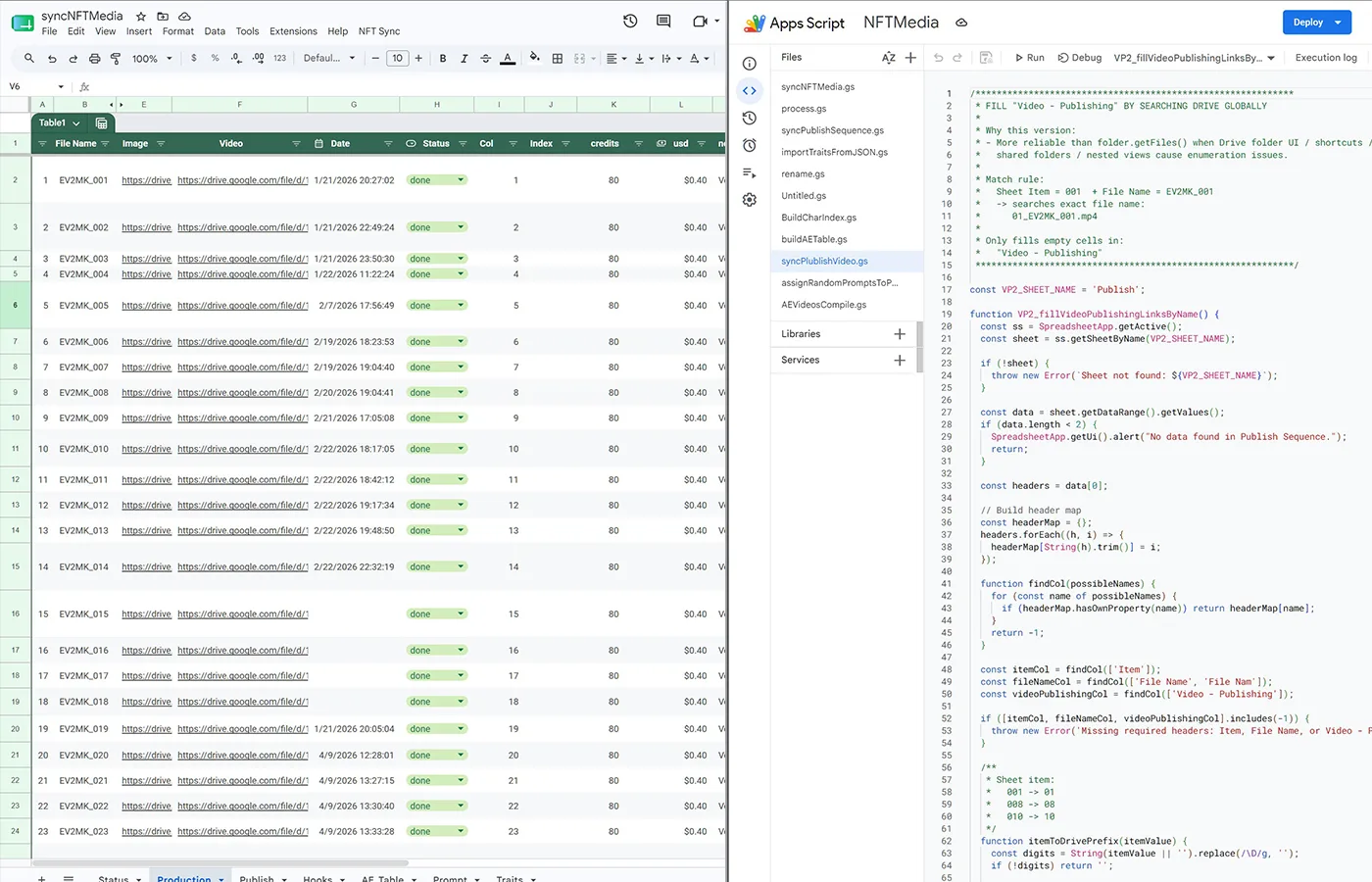
    Google SheetsApps Script

    • Render image variations
    • Track large data sets
    • Automate batches

    Output

    • Render images
    • Variation sets
    • Production data
  5. 5

    Motion prompts & image to video

    ChatGPT + Claude

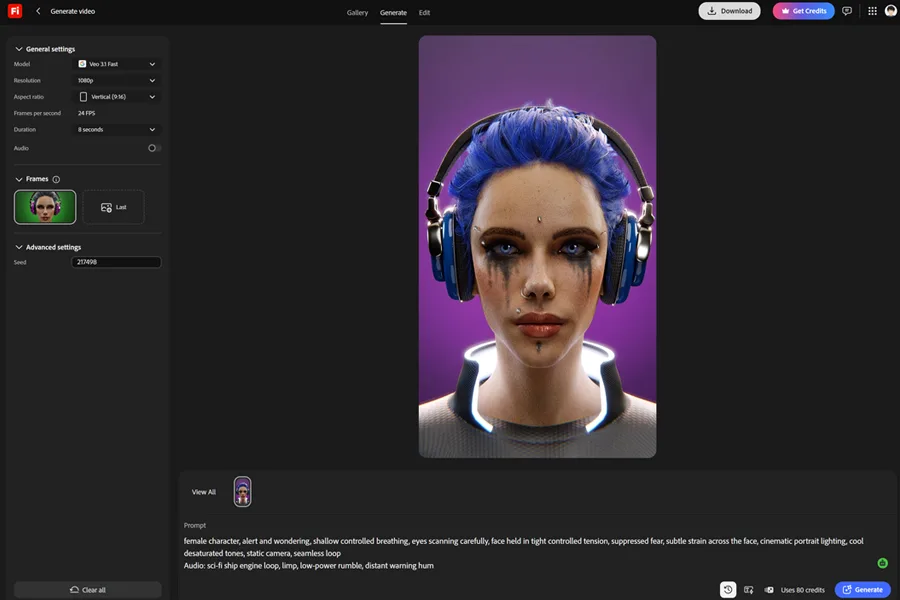
    Firefly / ReplicateVeo 3.1 Fast

    • Generate motion prompts
    • Generate audio cue prompts
    • Convert images to video clips

    Output

    • Prompt sets
    • Video clips
    • Motion-ready shots
  6. 6

    After Effects batch assembly

    After Effects

    • Templates + scripts + CSV
    • Build compositions
    • Batch export final videos

    Output

    • Compositions
    • Final videos
    • Repeatable production pipeline

Final output

  • Animated videos
  • Scalable production system
  • Time-saving, repeatable workflow

Firefly — Image to Video

Render-to-Video Pipeline — 3D Asset Automation + Scalable Motion System — Firefly — Image to Video

Showcase — Automation System

Render-to-Video Pipeline — 3D Asset Automation + Scalable Motion System — Showcase — Automation System

Veo 3.1 Fast

Bender Renders

Render-to-Video Pipeline — 3D Asset Automation + Scalable Motion System — showcase 1

Bender Setup

Render-to-Video Pipeline — 3D Asset Automation + Scalable Motion System — showcase 2

Promo video

Brand Design System — Visual Framework + Repeatable Templates — hero
Brand Design System
Brand Design SystemGlimpse Learning

Brand Design System — Visual Framework + Repeatable Templates

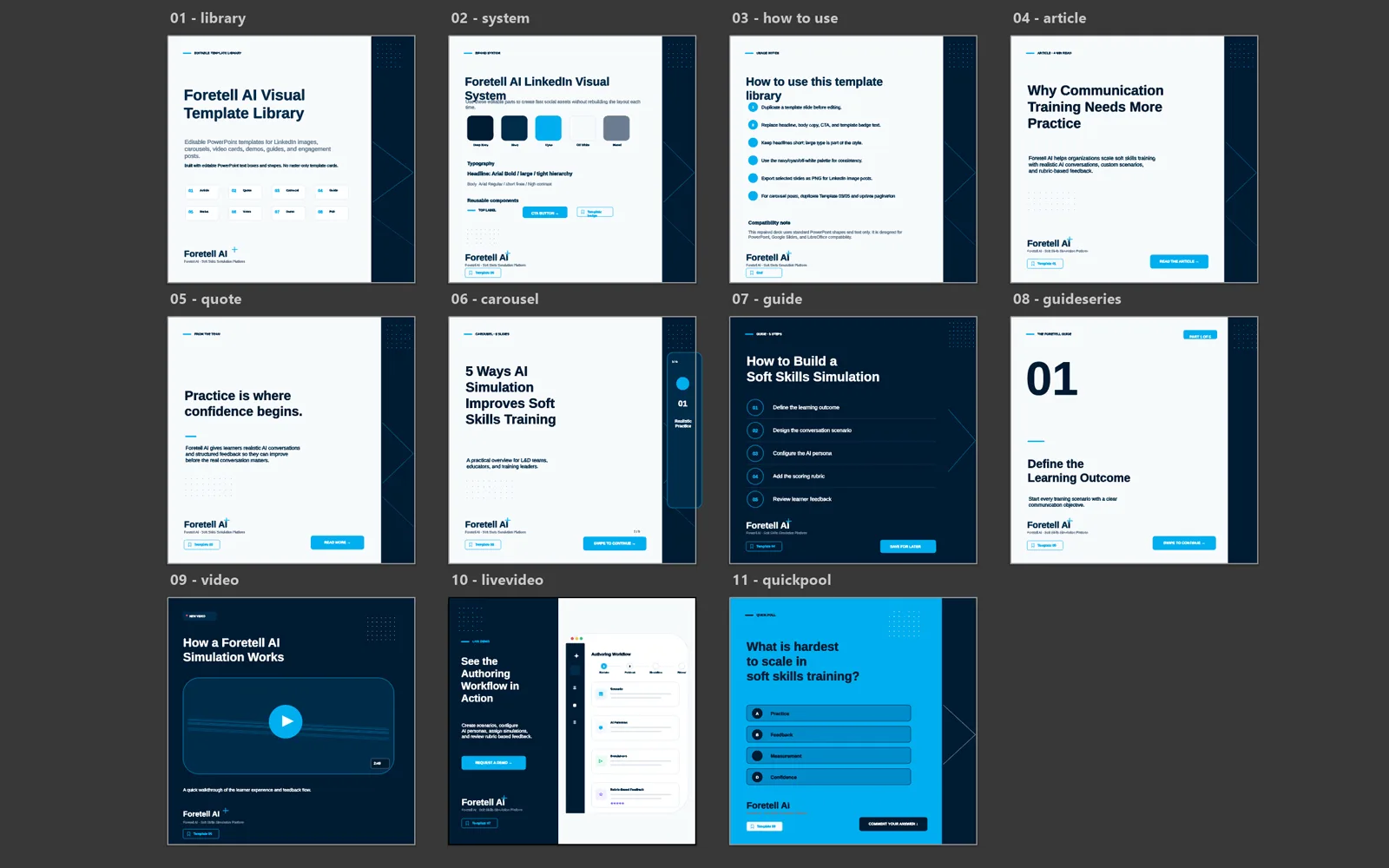
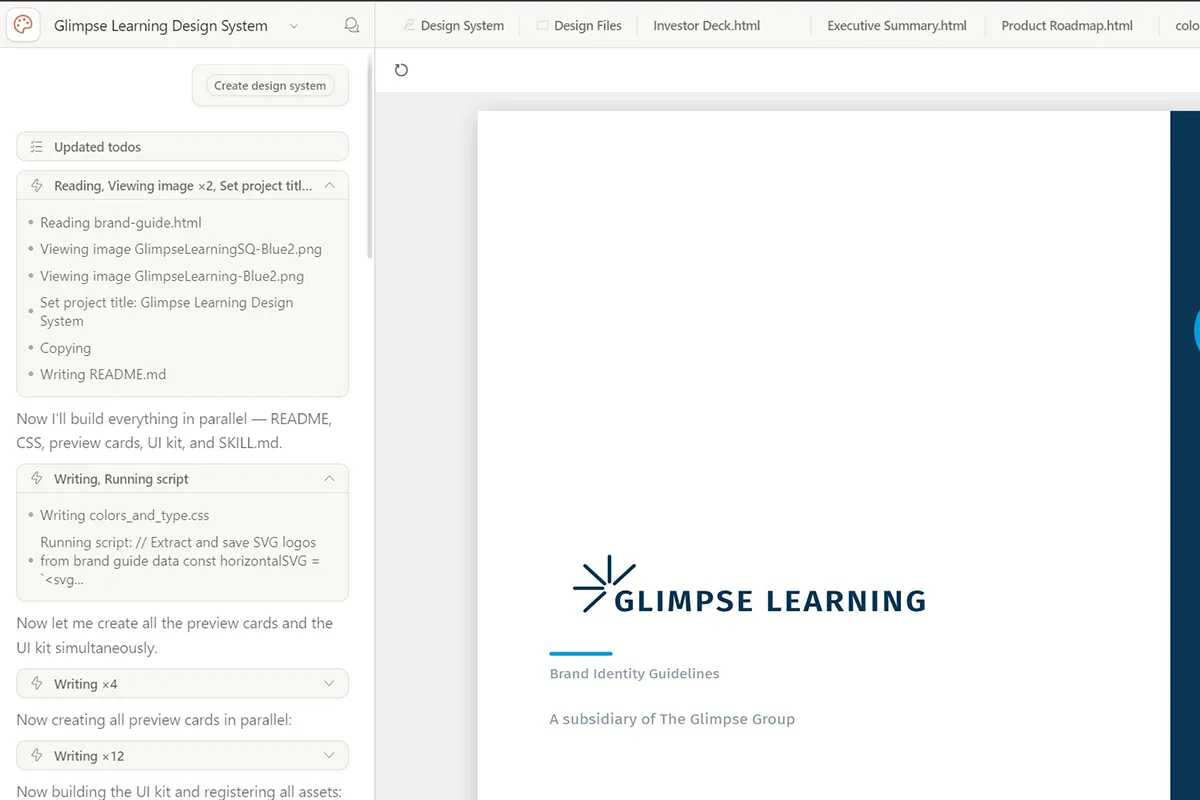
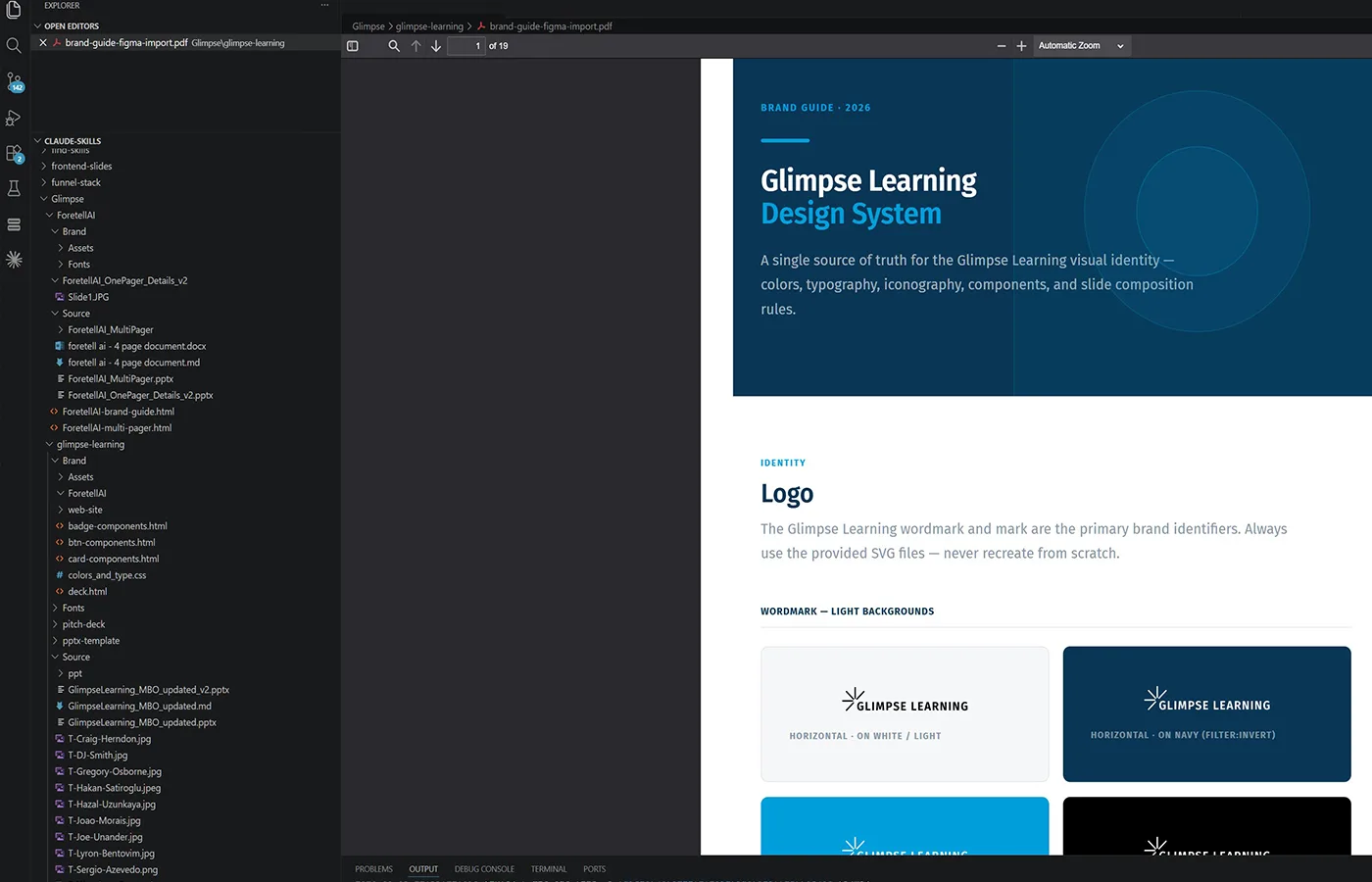
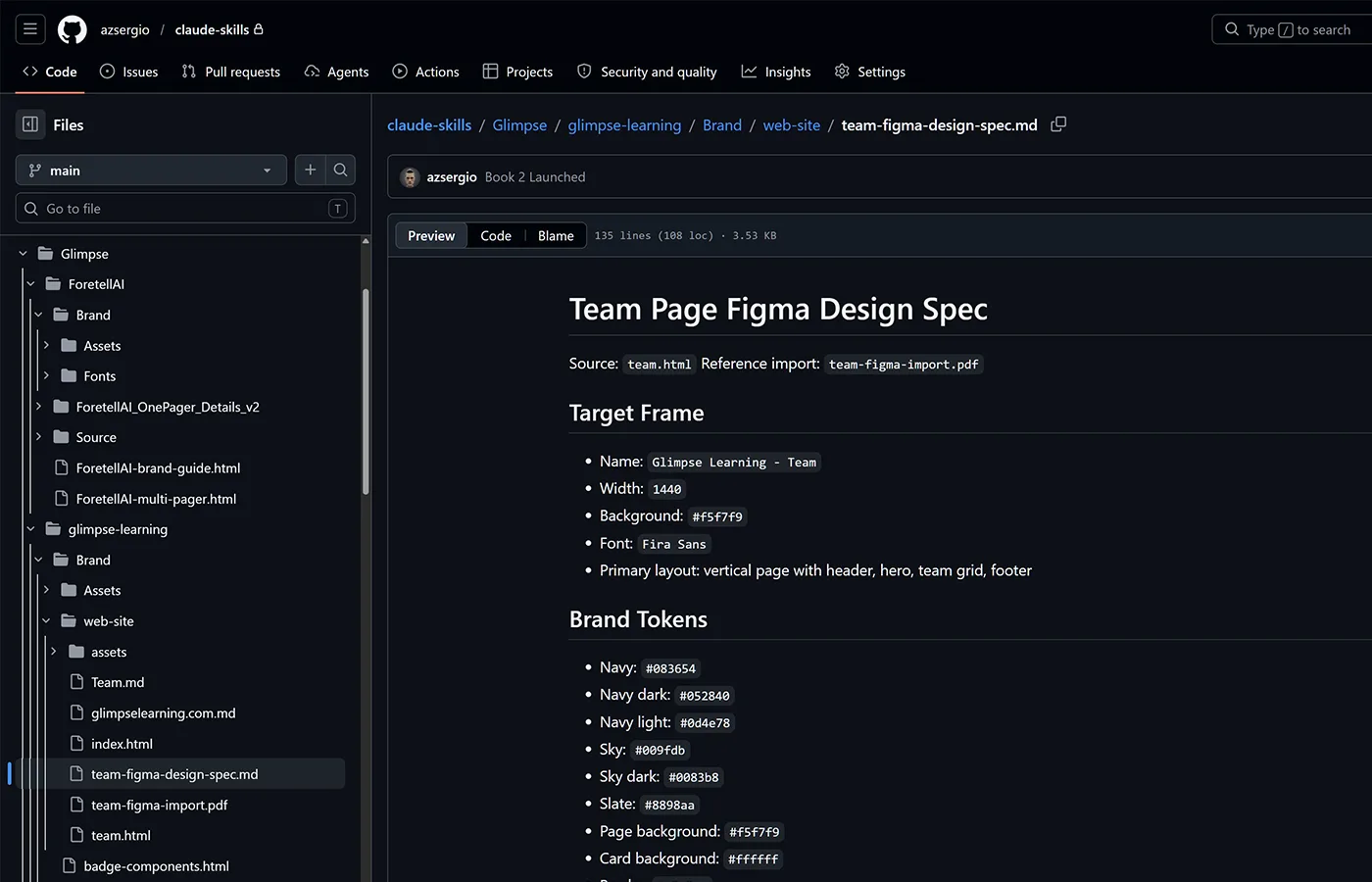
Developed a repeatable brand design system that transforms an initial brief and logo exploration into a structured, scalable visual language. Workflow combines Illustrator-based logo development, visual rule creation, Claude Code documentation, Claude Design templates, and systematic application across documents and brand assets.

Turned a brand concept into a scalable design system covering logo direction, visual rules, style guide documentation, reusable templates, and consistent application across all documents and visual touchpoints. The system-first approach — rules before assets — means any team member can extend the brand without breaking it. Rejected the common logo + colour palette approach in favour of a documented token layer that governs every output.

Built with

Adobe IllustratorFigmaAfter EffectsClaude CodeClaude DesignChatGPTBrand documentation workflowsPresentation and document systems

Workflow

Brand style guide system

From brief to full brand consistency.

  1. 1

    Brief & logo exploration

    • Brand brief / goals / audience
    • Mood references
    • Logo exploration in Illustrator
    • Initial direction selection

    Output

    • Creative brief
    • Logo concepts
    • Direction shortlist
  2. 2

    Visual rules & skills

    • Define color system
    • Typography rules
    • Shapes / icons / graphic language
    • Claude Code + Claude Design skills

    Output

    • Rule set
    • Prompt / skill framework
    • Visual element system
  3. 3

    Comprehensive style guide

    • Brand foundations
    • Logo usage rules
    • Color, type, spacing, imagery
    • Built in Claude Code + Claude Design

    Output

    • Full brand style guide
    • Documentation structure
  4. 4

    Convert & apply

    • Apply across documents
    • Presentation decks
    • Social / marketing assets
    • Visual elements and templates

    Output

    • Converted assets
    • Updated templates
    • Branded documents
  5. 5

    Consistency & delivery

    • Review alignment
    • Refine edge cases
    • Final asset package
    • Scalable brand system

    Output

    • Final brand system
    • Ready-to-use assets
    • Consistent brand rollout

Final output

  • Brand style guide
  • Logo assets
  • Prompt / skill system
  • Branded documents & visual elements

Design reference

Brand Design System — Visual Framework + Repeatable Templates — design reference

Production output

Brand Design System — Visual Framework + Repeatable Templates — production output

Showcase

Brand Design System — Visual Framework + Repeatable Templates — showcase 1
Brand Design System — Visual Framework + Repeatable Templates — showcase 2
Style-Consistent Image Generation — ComfyUI Print Pipeline — hero
ComfyUI Workflow System
ComfyUI Workflow SystemOwn KDP publishing

Style-Consistent Image Generation — ComfyUI Print Pipeline

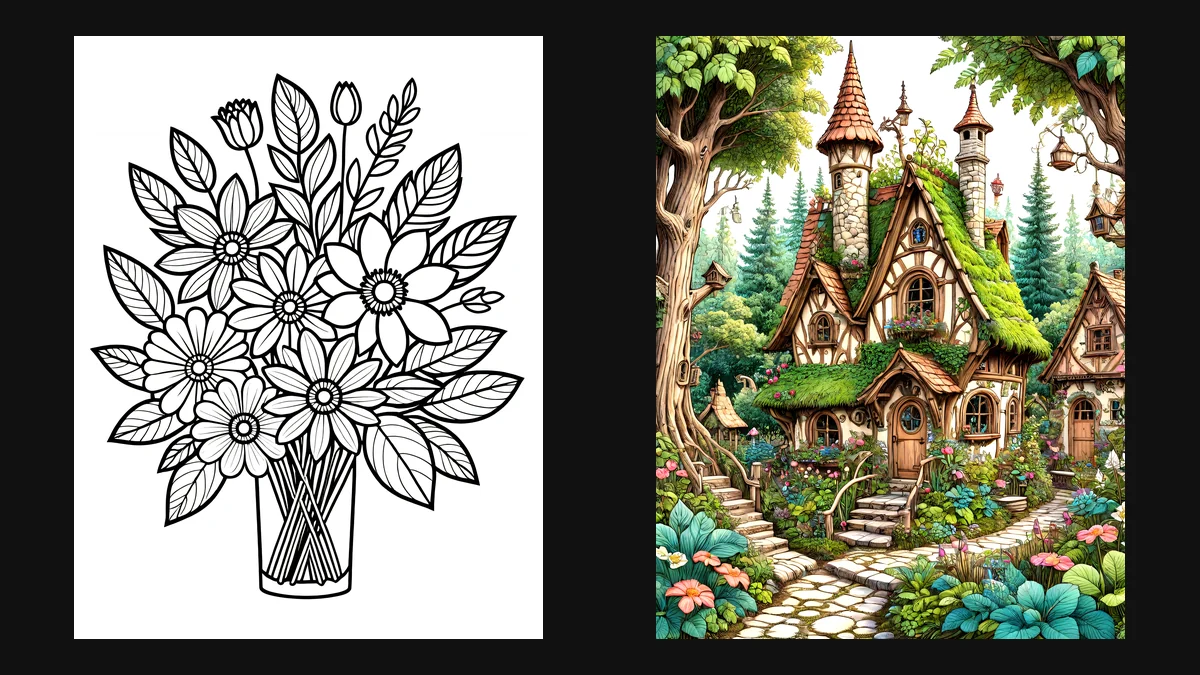
Two ComfyUI workflows that produce coloring-book interiors and matching covers in a fixed visual style. A prompt styler, an SDXL checkpoint and a small LoRA stack set the look; a second sampling pass, line clean-up and model upscaling take each image to print resolution. Every page in a book comes out of the same graph, so the style holds from the first page to the last.

Production Pipeline

Prompt StylerSDXL + LoRA StackLatent Upscale Re-sampleLevels & SharpenModel UpscalePrint Export

Style drift is the usual problem with AI-illustrated books: page 12 stops looking like page 1. Here the look lives in the graph, not the prompt. The styler template, checkpoint and LoRA weights are fixed, so only the subject changes between pages. I also revived and cleaned up older workflows: fixed missing nodes and models after node-pack updates, removed dead branches, and laid each graph out in four readable stages.

Built with

ComfyUISDXL (JuggernautXL, DreamShaper XL Turbo)LoRA stack (Line Art SDXL, InkArt XL, Detail Tweaker XL)SDXL Prompt StylertinyterraNodes pipes4x-UltraSharp upscalingPython (asset prep)

Workflows and outputs — click to zoom

  • Interior workflow: full graph

  • Cover workflow: full graph

  • Interior page: final output

  • Cover: final output

  • Stage 1: settings and model

  • Stage 2: generate

  • Stage 3: line refine

  • Stage 4: upscale and export

AI Film Shot-Review System — Sheet-Driven Director Review — hero
AI Film Production Tooling
AI Film Production ToolingIndependent film studio · NDA

AI Film Shot-Review System — Sheet-Driven Director Review

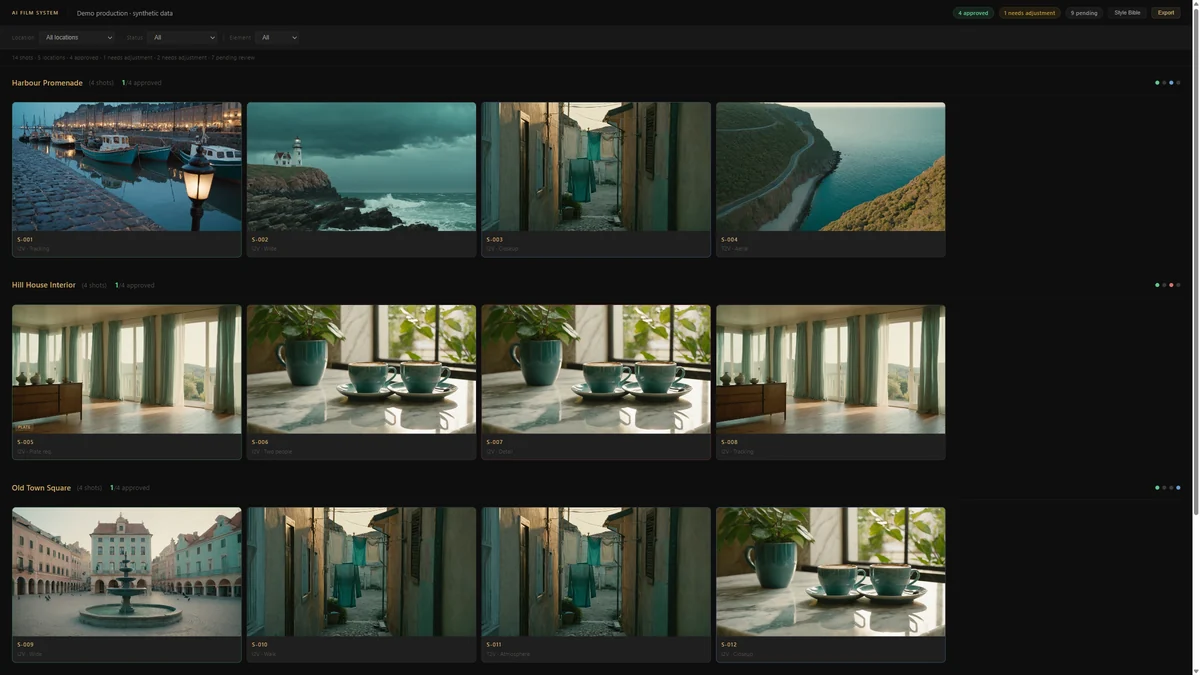
A review tool for an AI-generated film. The shot list lives in a Google Sheet; the review page reads it, shows every shot with its generated takes, and lets the director approve, flag or reject each take and request a re-generation with a note. Decisions write straight back to the sheet, so production always works from one list.

Production Pipeline

Shot Tracker (Sheet)Prompt + Style LineKling GenerationReview UIDirector DecisionSheet Write-backEditorial Export

Every take sits next to the prompt that made it, and each decision is recorded in the sheet production already works from. There is no backend and no build step: it is one HTML file the team can open anywhere. The screenshots use invented demo data; the real production is under NDA.

Built with

Google SheetsGoogle Apps ScriptVanilla HTML / CSS / JavaScriptKling (via Replicate)Claude CodeCodexNginx + Cloudflare Tunnel

Screens (demo data) — click to zoom

  • Shot grid by location

  • Shot review: takes, decisions, prompt

  • Sheet-driven shot tracker

  • Re-generation request

  • Style Bible drawer

  • Editorial export

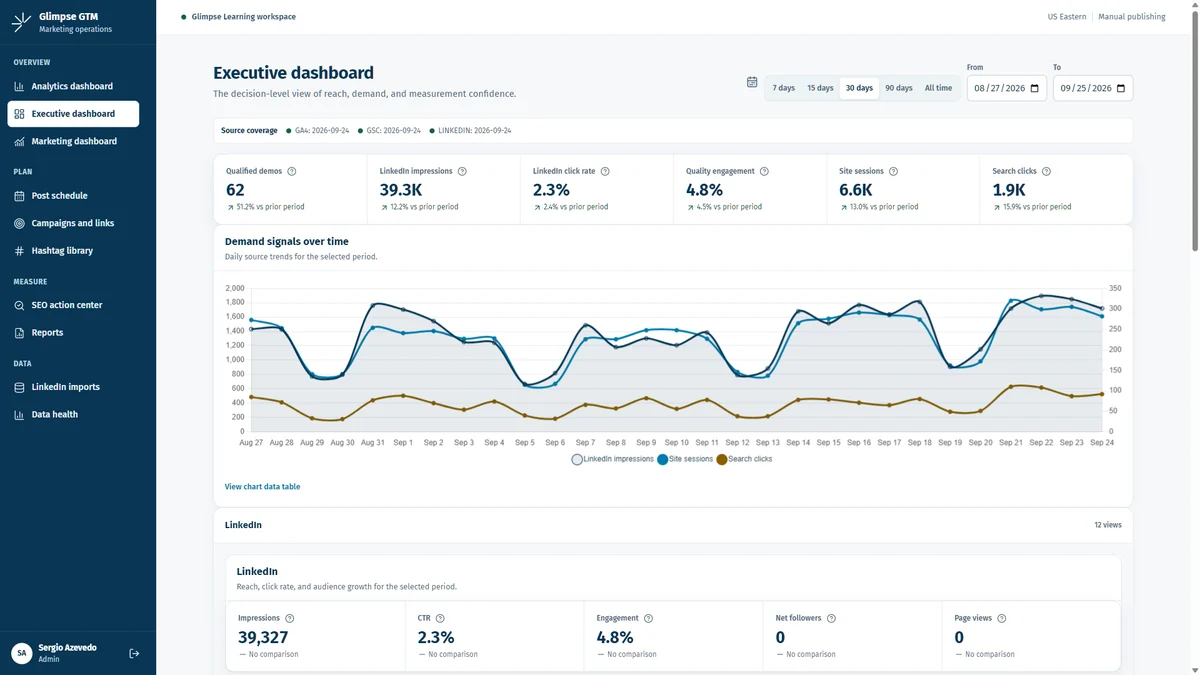
GTM Analytics & Content Operations Platform — hero
Marketing Operations Platform
Marketing Operations PlatformGlimpse Learning

GTM Analytics & Content Operations Platform

An internal platform for planning, approving and measuring marketing work. It brings GA4, Search Console and LinkedIn data into one dashboard, and puts the content calendar, approval flow, UTM-tracked campaign links, hashtag library and SEO action list in the same place. It runs on Cloudflare Workers with D1 and R2, behind Cloudflare Access.

Production Pipeline

GA4 + Search Console + LinkedInDaily Sync / ImportD1DashboardsPlan & ApprovePublishMeasure

GA4, Search Console and LinkedIn share one date range with period-over-period comparison, and each post is tied to its campaign and tracked link, so planning and results sit side by side. The screenshots use a synthetic dataset; the live instance is private.

Built with

ReactTypeScriptViteTanStack Router / Query / TableChart.jsCloudflare WorkersCloudflare D1 + R2Cloudflare AccessGA4 + Search Console APIsClaude Code

Screens (synthetic data) — click to zoom

  • Executive dashboard

  • Analytics dashboard (full page)

  • Marketing dashboard

  • Post schedule

  • Schedule: calendar view

  • Campaigns and tracked links

  • SEO action centre

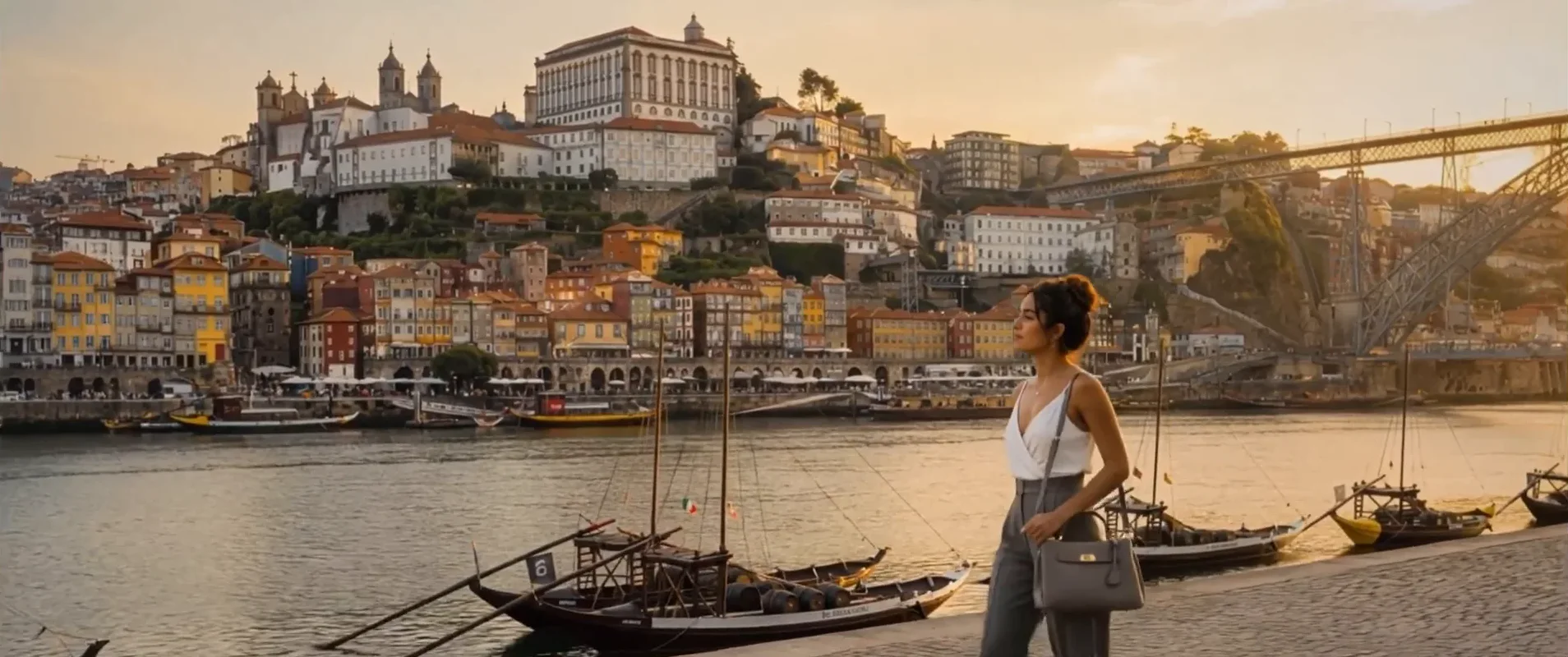
Retail Signage System — AI Brand Film + Raspberry Pi Playback — hero
AI Film + Physical Installation
AI Film + Physical InstallationOficina ID

Retail Signage System — AI Brand Film + Raspberry Pi Playback

A 2.5-minute brand film for Oficina ID's booth at Time Out Market Porto, and the signage system that plays it. The film was made in Higgsfield and finished in After Effects for an ultra-wide 2272×954 screen. It runs on a Raspberry Pi 5 with a custom player and admin panel, fully offline, and is managed remotely.

Production Pipeline

BriefCharacter + Location Stills (Higgsfield)Image-to-Video ShotsAfter Effects Edit + Ultra-wide MasterAdmin UploadPi 5 Playback Loop

Live at the booth since July 2026. In a full week of 12-hour trading days it ran with no incidents: the player restarts itself if playback dies, a hardware watchdog and a nightly reboot keep the Pi healthy, and content is changed remotely without anyone on site.

Built with

HiggsfieldAfter EffectsRaspberry Pi 5Pythonmpv (KMS/DRM)Flasksystemd + hardware watchdogTailscaleCloudflare Tunnel + Access

Film stills and admin panel — click to zoom

  • Establishing: Dom Luís I bridge

  • Character consistency across locations

  • Product close-up

  • Oficina ID product: house card

  • Oficina ID product: Pontes card

  • Signage admin panel

Promo video

VR Environments & Characters: Low-Poly Real-Time Assets — hero
Real-time 3D / VR
Real-time 3D / VRClient project

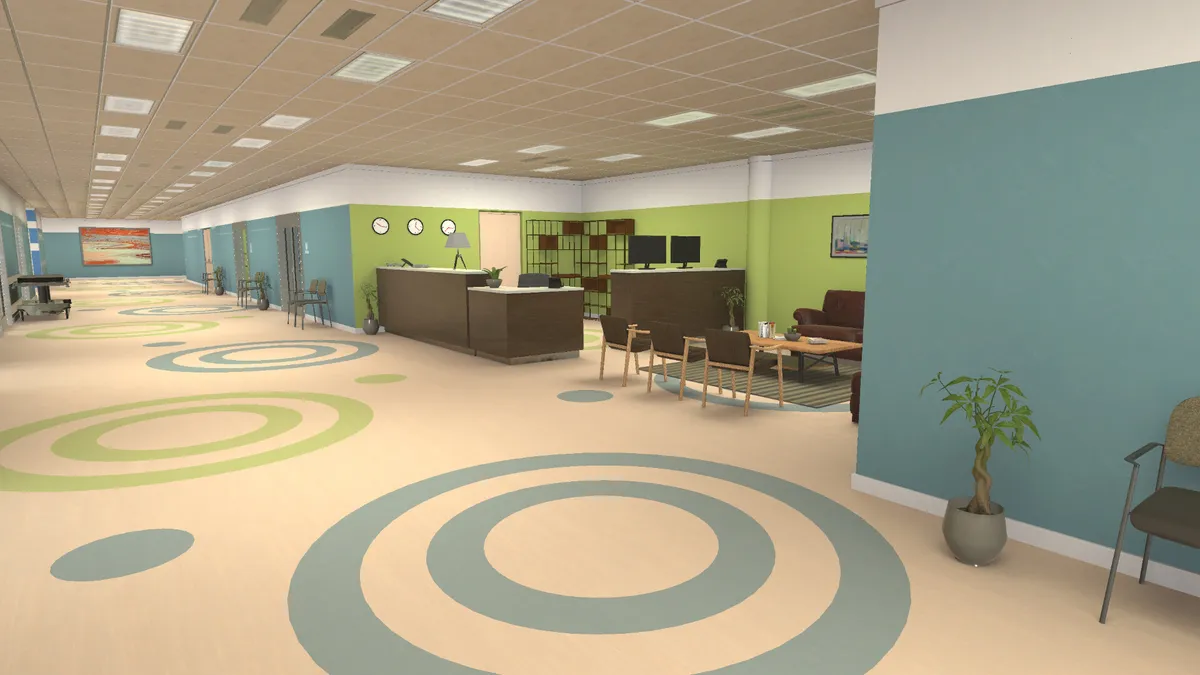
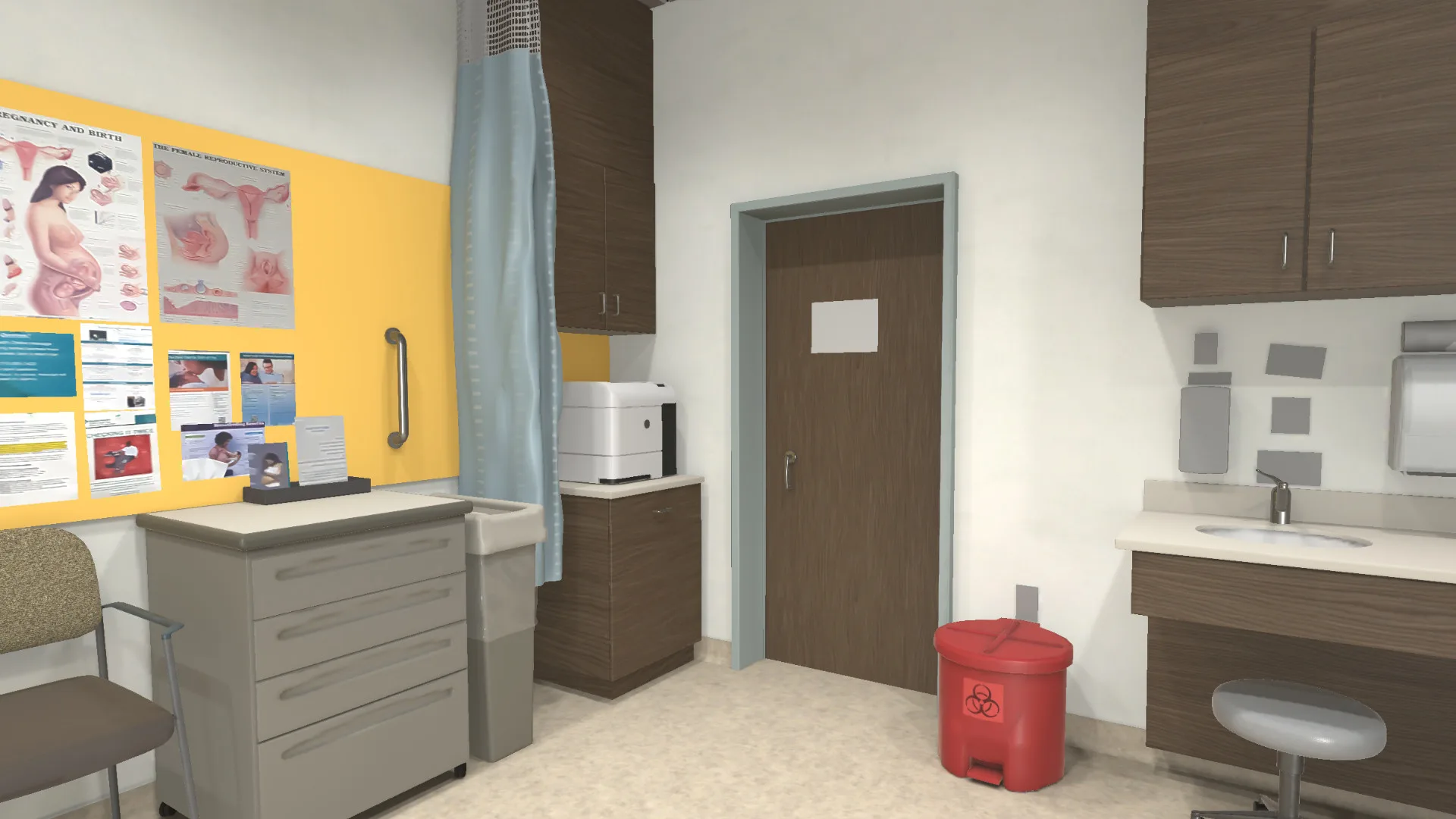
VR Environments & Characters: Low-Poly Real-Time Assets

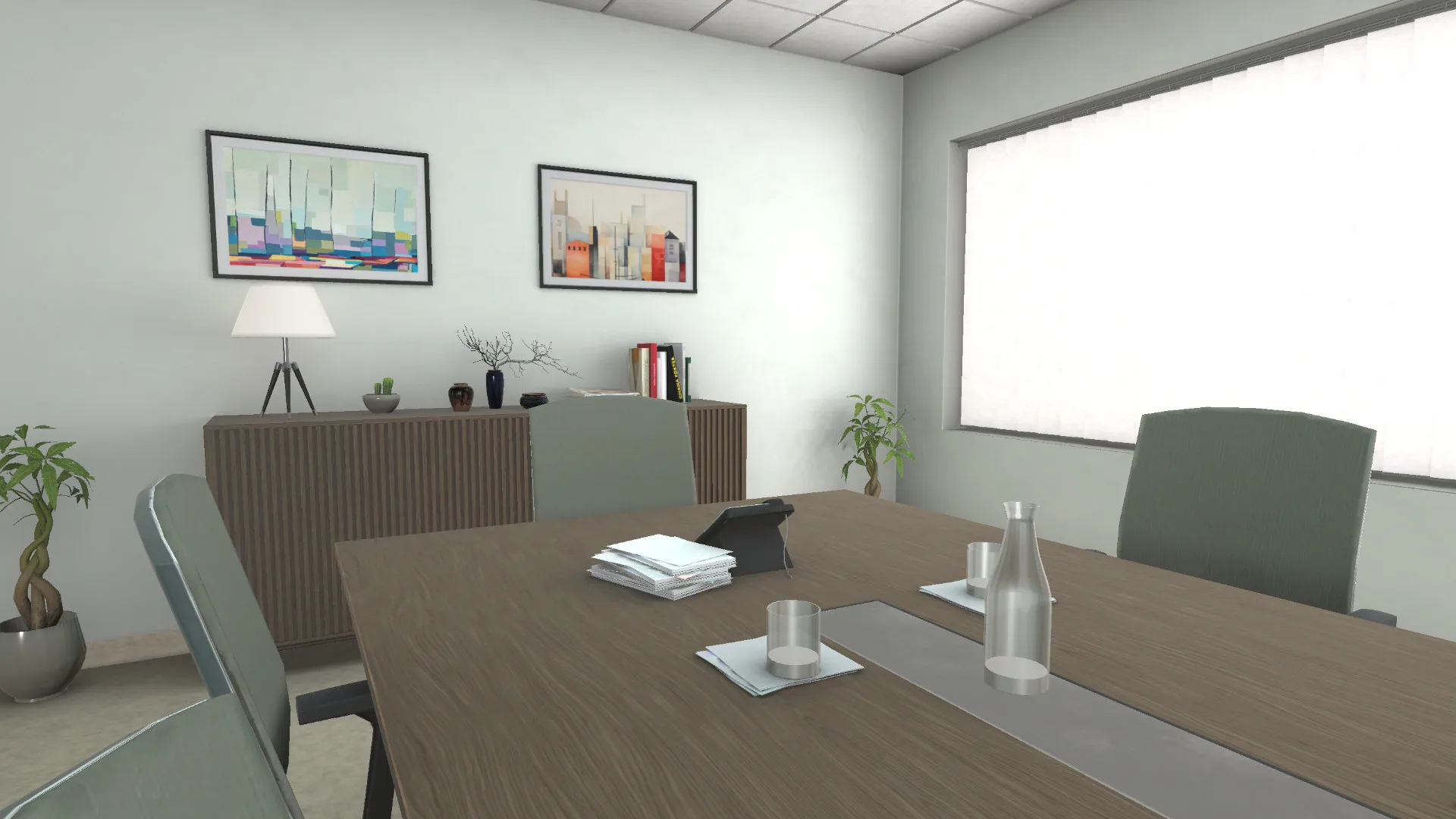
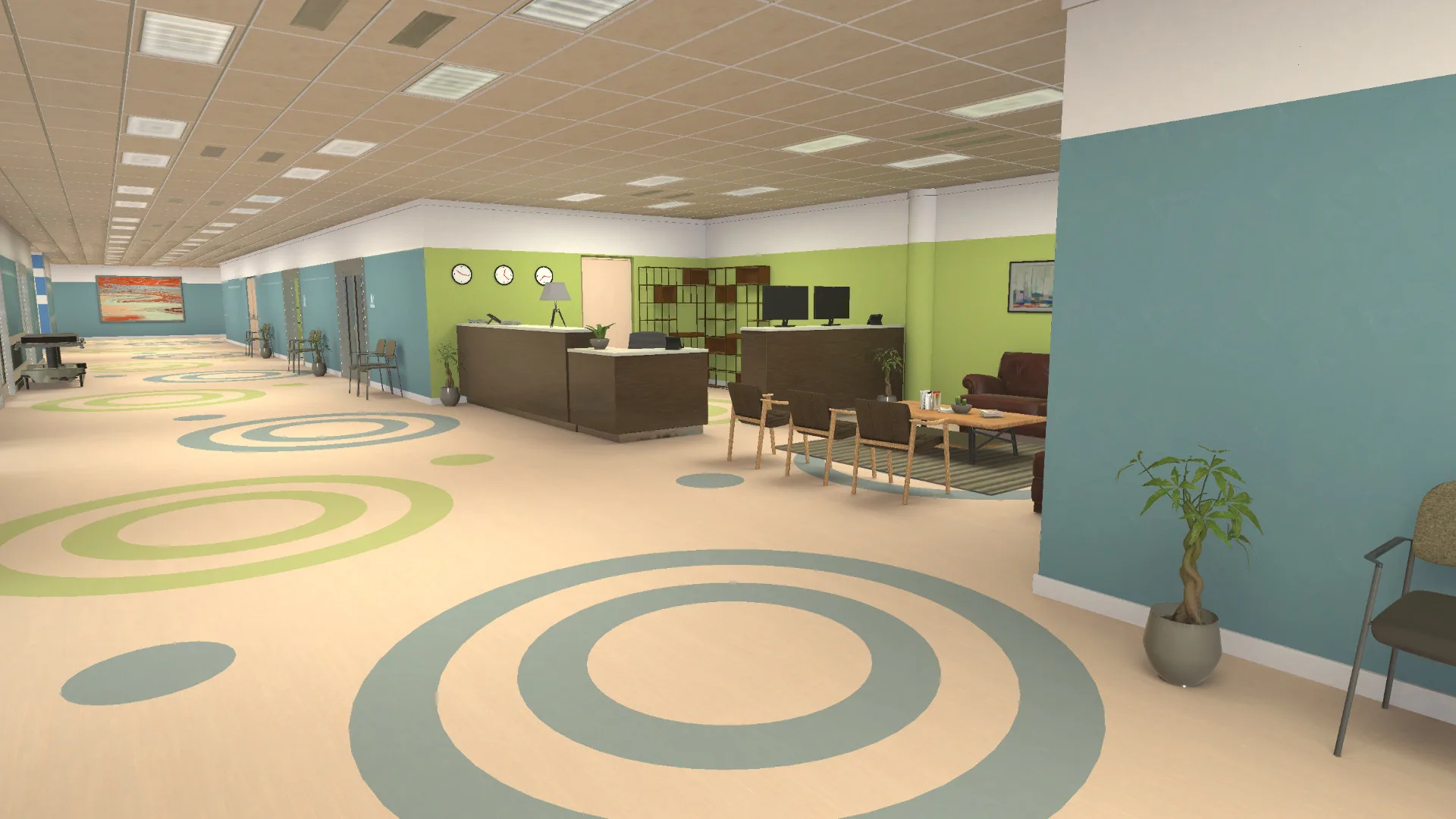
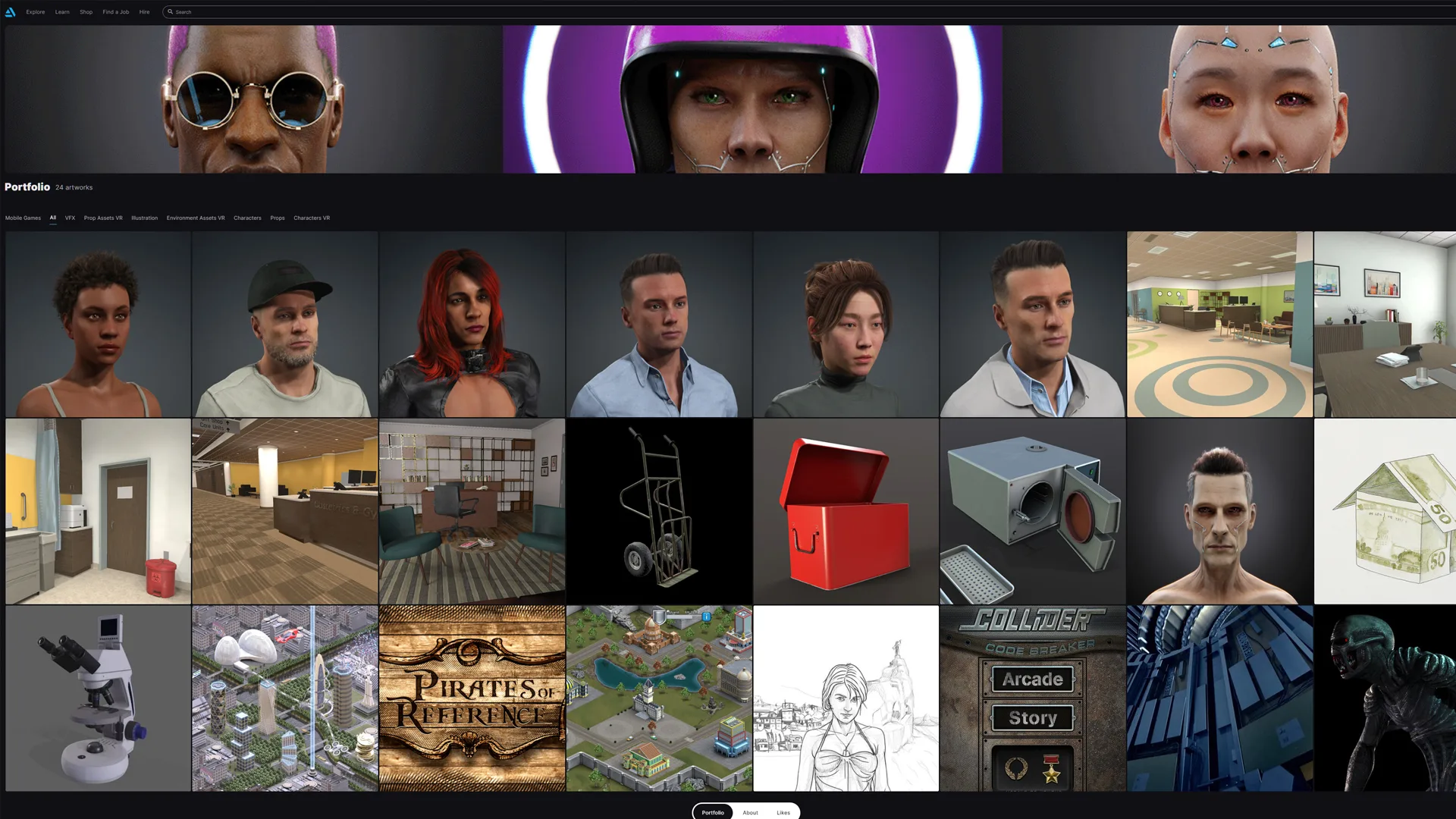
Five interior sets and six characters built for VR from the client's reference photos. The environments were modelled in Maya, textured with trim sheets in Substance 3D Painter and Photoshop, and assembled in Unity. The characters started in Character Creator; props were modelled in Maya and textures finished in Substance 3D Painter and Photoshop.

Production Pipeline

Client Reference PhotosMaya ModellingTrim Sheets (Substance 3D Painter + Photoshop)Unity Assembly

Built with

MayaSubstance 3D PainterPhotoshopUnityCharacter Creator

Environments and characters (click to zoom)

  • Clinic floor: layout

  • Clinic floor: waiting area

  • Clinic floor: treatment room

  • Clinic floor: treatment room

  • Office lounge: layout

  • Office lounge

  • Office lounge: desk

  • Office lounge: reverse angle

  • Reception: layout

  • Reception

  • Exam room: layout

  • Exam room

  • Exam room: reverse angle

  • Meeting room: layout

  • Meeting room

  • Meeting room: whiteboard wall

  • Meeting room: table detail

  • Character 01: full body

  • Character 01: head

  • Character 01: profile

  • Character 02: full body

  • Character 02: head

  • Character 02: profile

  • Character 03: full body

  • Character 03: head

  • Character 03: profile

  • Character 04: full body

  • Character 04: head

  • Character 04: profile

  • Character 05: full body

  • Character 05: head

  • Character 05: profile

  • Character 06: full body

  • Character 06: head

  • Character 06: profile

Additional systems.

Product UI & Data

Local Solar + EV Charging UI/Data Experience

Designed and prototyped a local solar data and EV charging interface using AI-assisted development tools, combining data visualization, landing page structure, and product UI thinking.

Full case study

Tools

Claude CodeCodexData/UI planning tools
Product UIData VisualizationClaude CodeAI Prototyping
3D & AI Video

3D Character-to-Video Automation

Developed an AI-assisted automation workflow for transforming 3D characters into video-ready content, connecting 3D assets, motion/video generation, and post-production.

Full case study

Tools

3D character toolsAI video toolsAutomation workflowsAfter Effects
3DAI VideoAutomationCharacter Workflow
Brand Systems

Brand Style Guide + Deck Production Systems

Created AI-assisted brand style guide systems for Oficina ID and Glimpse Learning to support consistent presentation decks, visual rules, layouts, and production standards.

Full case study

Tools

ClaudePresentation deck systemsIllustratorInDesignBrand documentation workflows
Brand SystemsStyle GuidesPresentation DesignClaude

Built on a foundation of real-time 3D, XR, and production art.

Before AI became part of the production stack, my work was already focused on building visual systems: optimized 3D assets, immersive environments, Unity-based VR/XR experiences, PBR workflows, and production pipelines for healthcare, education, and interactive learning.

Tools

UnityMayaBlenderSubstance PainterSubstance DesignerMarmoset ToolbagCharacter CreatoriClonePhotoshopAfter Effects

Proof points

  • Shipped VR/XR experiences for healthcare and education simulations
  • Led a 5-person 3D artist team — direction, planning, and delivery
  • 200+ optimized assets for real-time Unity environments
  • 35% runtime performance improvement through technical art optimization
  • Full PBR pipeline: Maya, Substance Painter and engine export
  • Remote production collaboration with distributed US + EU teams
Unity XR environment — immersive healthcare simulation spaceReal-time 3D character in VR education simulationVirtual reality environment rendered in Unity for interactive learningXR production scene — optimized real-time 3D environment
1 / 4

What gets built and how.

AI Video Production Systems

Script, visual references, shot stills, image-to-video workflows, and post-production — built as repeatable pipelines.

Product UI/UX & Data Interfaces

Figma interfaces, landing pages, dashboards, product storytelling, and data visualization.

Creative Automation

n8n, Google Sheets, Google Apps Script, Claude Code, Codex, JSON, JSX, and workflow-based production systems.

Publishing Pipelines

ComfyUI, Amazon KDP covers, coloring book interiors, Adobe Illustrator JSX scripts, and InDesign workflows.

Brand & Presentation Systems

Style guides, deck templates, visual rules, and scalable design documentation.

3D / XR / Real-Time Production

Unity, VR/XR assets, immersive environments, optimization, PBR workflows, and technical art.

Tools in active use.

AI & Automation
ChatGPTClaudeClaude CodeCodexComfyUIAdobe Fireflyn8n
UI / Design / Brand
FigmaPhotoshopIllustratorInDesignPresentation deck systems
Video / Motion
After EffectsAI image-to-video tools
3D / XR
UnityMayaBlenderSubstance PainterSubstance DesignerMarmoset ToolbagCharacter CreatoriClone
Scripting / Data / Web
Google SheetsGoogle Apps ScriptJSX / Adobe scriptingJSONWordPressDockerCloudflareQNAP

Creative technologist and visual systems designer based in Portugal.

I'm Sérgio Azevedo, a creative technologist and senior visual artist working across AI-assisted production, UI/UX, real-time 3D, XR, automation, and visual systems.

My background in 3D and immersive learning shaped how I work: visual quality matters, but so does repeatability, performance, structure, and delivery. Today, I apply that production mindset to AI-assisted video, product storytelling, brand systems, and interactive experiences.

I believe AI is only as good as the creative system behind it. The prompt is a detail — the real work is the structure: visual rules, reference packs, production logic, and templates that make the next job faster than the last.

Background

  • Based in Portugal · Available for remote · EU timezone
  • Creative technologist for AI-assisted production systems
  • UI/UX, automation, and visual workflow builder
  • XR / healthcare / education background
  • Experience with remote production teams (US + EU)

Need a creative system, not just a single asset?

I work on AI-assisted video workflows, product UI/UX, creative automation, brand systems, and real-time visual production.

Based in Portugal · Available for remote collaboration · EU timezone